Plugins
Make flyers, cards and signs with AI Studio
How to make print and social designs in AI Studio, what each piece is, how many designs you get and what it costs.
Updated
AI Studio makes flyers, door hangers, rack cards, business cards, review cards, yard signs and social graphics for your business. It builds each one from your own site, logo and colors, and writes the words in your brand voice. You print it, save it as a PDF or download the image.
Make a design
- Open AI Studio in your sidebar, under AI tools.
- Under 1. Pick a piece, choose what you're making: Flyer, Door hanger, Rack card, Business card, Review card, Yard sign or Social post.
- Keep AI designer selected. In 2. Tell the designer what you want, write a line about it, like the special you're running this month.
- Click Design it for me. It takes about 30 seconds.
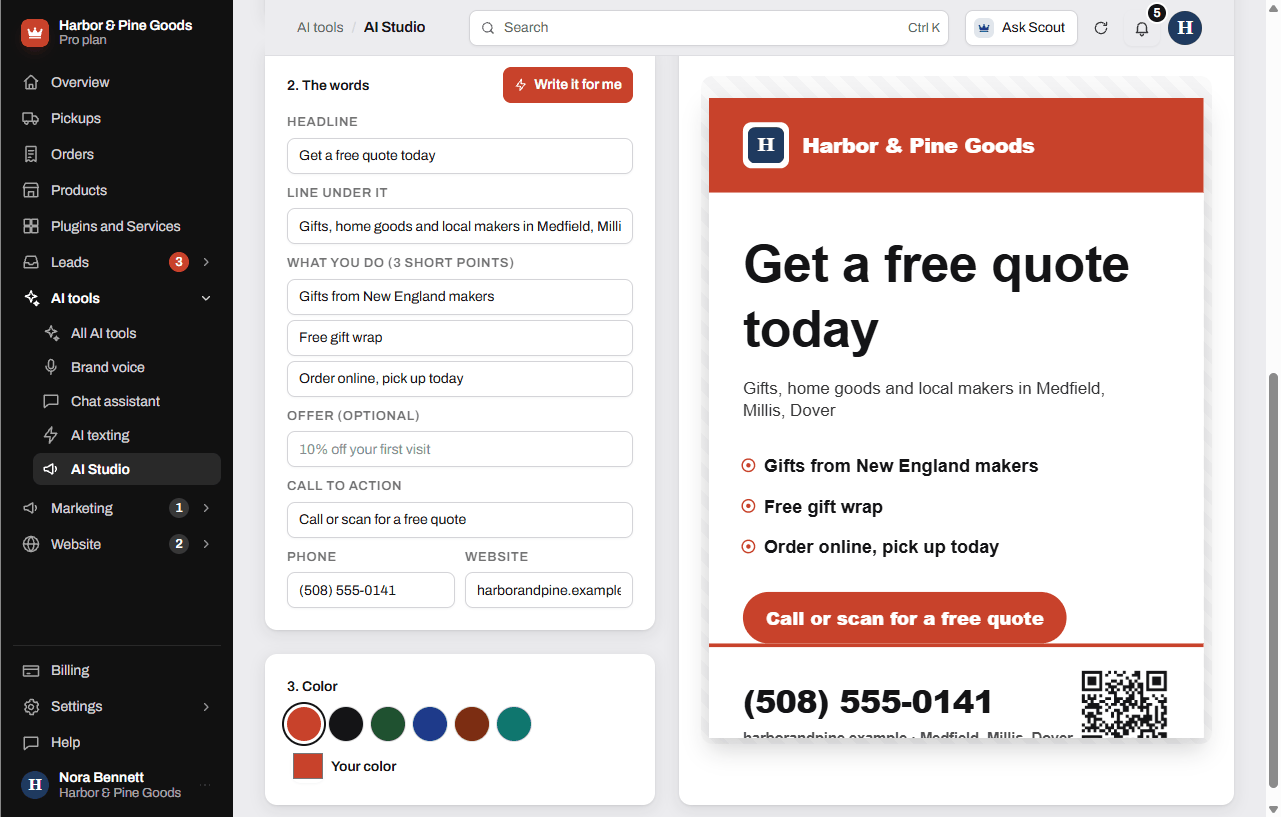
- Under 3. Words to use (optional), add a headline, your three main points, an offer or a call to action if you want them on it. Check the Phone and Website.
- Pick a color under 4. Color, or click Your color to use your own.
- Click Make another version to see a different take. Switch between them with the Version buttons.
- Click Print or save PDF to print it at the right size, or Download image to save a PNG.
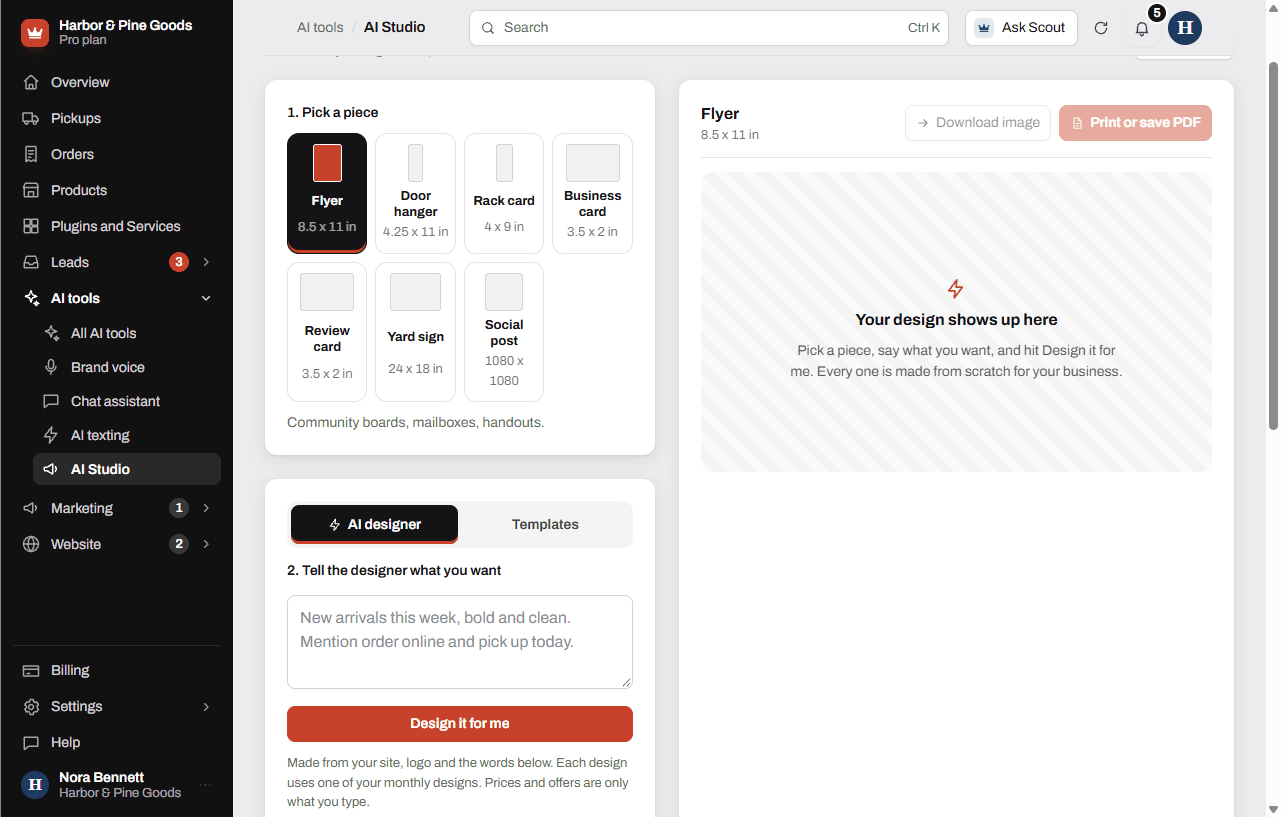
Each AI design uses one of your monthly designs, and the count left shows under the button. Prices and offers on a design are only what you type. The AI never makes one up.
Use a template instead
Templates are hand-built layouts that fill in from your site. They're free to use as often as you like and don't count toward your monthly designs.
- Click Templates at the top of the second card.
- Type your words, or click Write it for me to have them written for you.
- Pick a color, then Print or save PDF or Download image.
The pieces and their sizes
- Flyer: 8.5 x 11 in, for community boards, mailboxes and handouts.
- Door hanger: 4.25 x 11 in, left on doors in the towns you serve.
- Rack card: 4 x 9 in, for counters, waiting rooms and partner shops.
- Business card: 3.5 x 2 in, prints 8 to a sheet, ready to cut.
- Review card: 3.5 x 2 in, 8 to a sheet. The QR code opens your reviews.
- Yard sign: 24 x 18 in. Send the download to any sign shop.
- Social post: 1080 x 1080, for Facebook, Instagram and Google posts. It downloads as an image.
What it costs
AI Studio is $29 a month for up to 20 designs a month. Pro includes 5 designs a month, and you can add AI Studio for the full 20. The AI Content bundle gives you AI Studio and the social calendar together for $39 a month. You can try it free for 7 days with no card from Plugins and Services.
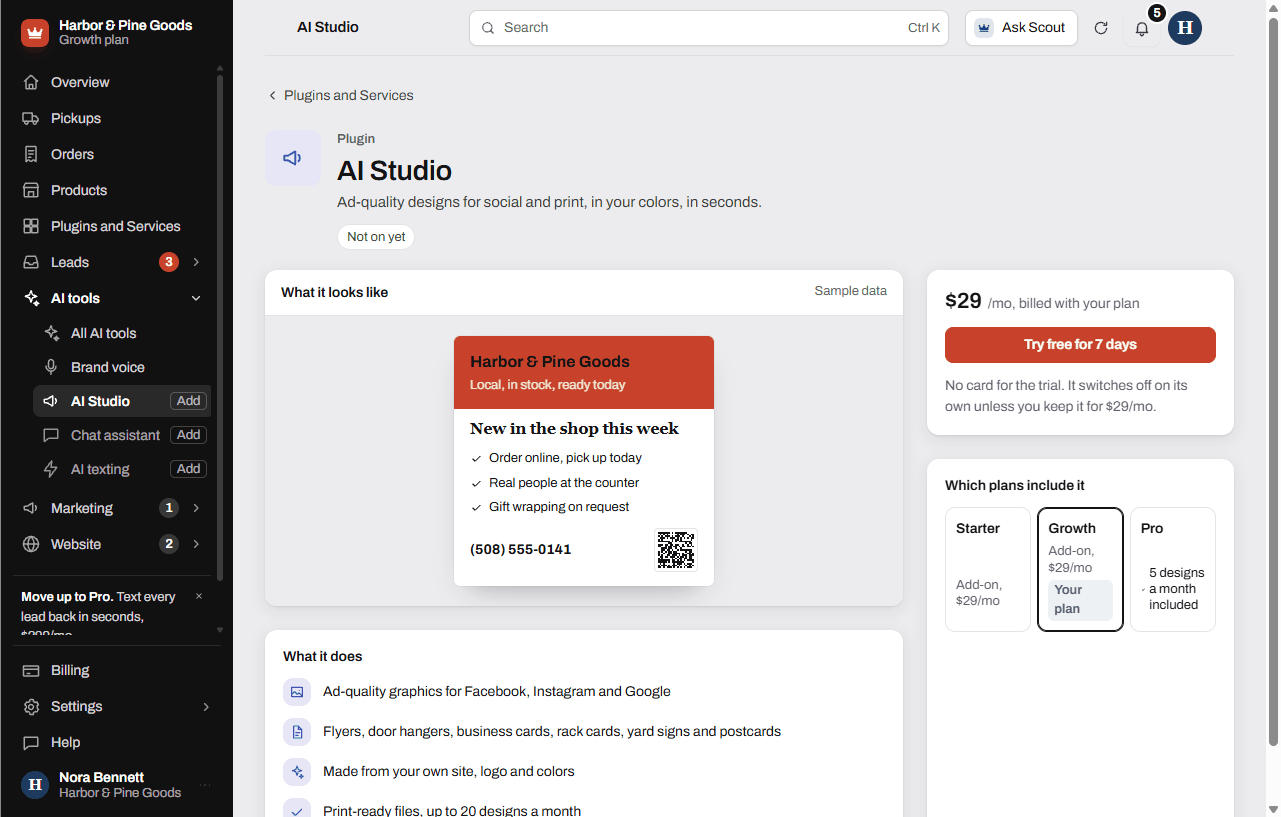
AI Studio needs your brand voice first. If you haven't set it up, the page sends you to Brand voice. It takes about two minutes.
Questions
Can it make a flyer for my spring mower tune-up special?
Yes. Pick Flyer, write the special in the brief box, type the deal in Offer, and click Design it for me. Check the words and the phone number before you print.
Will it make up prices or discounts?
No. Prices and offers are only what you type in. If you leave the offer blank, the design has no offer on it.
How many designs do I get?
Up to 20 AI designs a month with AI Studio or the AI Content bundle, or 5 a month on Pro without it. The count resets on the 1st. Templates are free as often as you like.
Can I take it to a print shop?
Yes. Print or save PDF opens a print window sized to the piece, where you can pick Save as PDF and send that file. For a yard sign, send the Download image file to the sign shop.
Does it use my logo and colors?
It pulls your logo, business name, phone and website from your site. Pick your color from the swatches, or click Your color to match your sign or truck.
Can I print my own business cards?
Yes. Pick Business card. Print or save PDF lays out 8 cards on a letter sheet with cut lines.
Can I make a card for the counter that asks for Google reviews?
Yes. Pick Review card and paste your Google review link into Review link the QR opens. Hand them out at the counter or tuck one in each pickup.
Are my designs saved?
The versions you make show as Version 1, Version 2 and so on while you're on the page. Download or print the one you like before you leave.
What happens when I run out of designs for the month?
The designer tells you and starts again on the 1st. Templates keep working, and on Pro you can add AI Studio to go from 5 designs to 20.
Will Scott design my logo?
No. Logo and brand kit design aren't part of KingsWay's work, and graphic design isn't covered by monthly edit time. AI Studio is the tool for your print and social pieces.