Plugins
Priority edits
How to send Scott a change, how priority edits on Pro jump the line, how much edit time each plan includes and what counts as an edit.
Updated
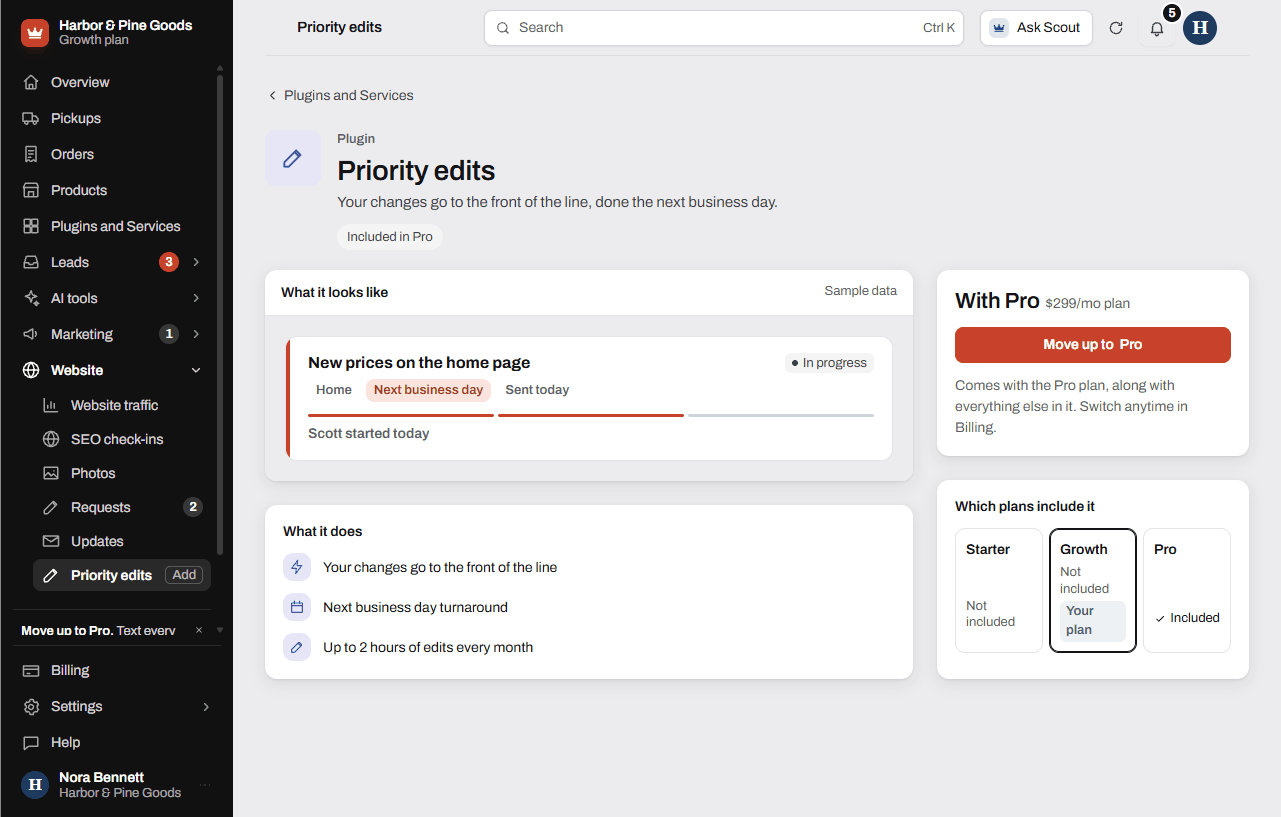
Priority edits put your website changes at the front of Scott's line, done the next business day. They come with the Pro plan, along with up to 2 hours of edits every month. Every plan sends changes the same way, from Requests.
Send Scott a change
- Open Requests in your sidebar.
- Click Start a request.
- Pick what kind of change: Change words or prices, Swap or add photos, Hours, phone or address, Add or remove a service, Something looks wrong or Something else.
- Pick the page, or Whole site or not sure.
- Tell Scott what to change. For wording, type it exactly how you want it.
- Add photos or files if you have them, up to 10, or click Skip.
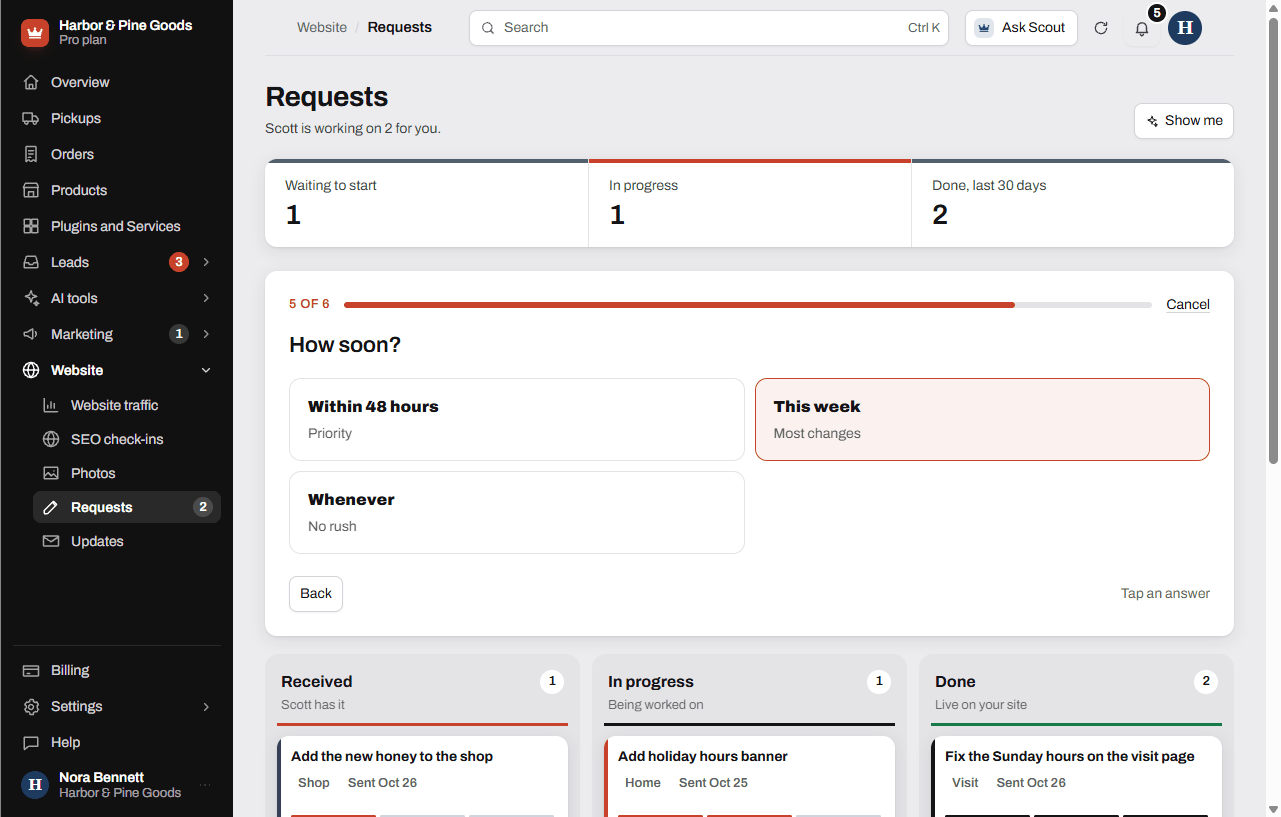
- Pick how soon. On Pro, Within 48 hours is marked Priority and goes to the front of the line.
- Look it over and click Send to Scott.
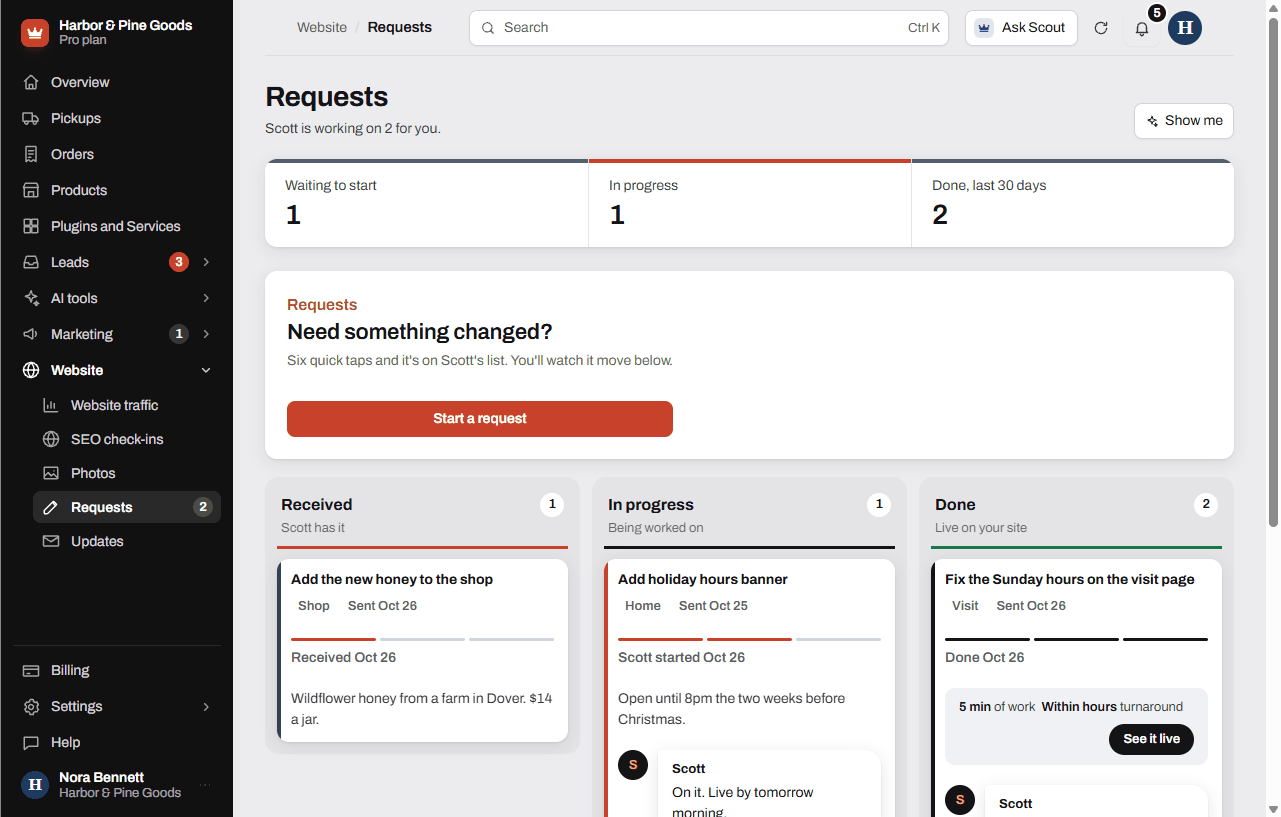
Your request shows in the list and moves from Received to In progress to Done. Scott's finished work also shows in Updates.
Edit time on each plan
- Pro: up to 2 hours of edits a month, priority, next business day.
- Growth: up to 1 hour of edits a month, handled within 2 business days.
- Starter: changes at $100 an hour when you need them.
Past your plan's time, extra edits are $100 an hour with a one-hour minimum, billed only when you ask. Unused edit time doesn't roll over to the next month.
On Growth or Starter, the Within 48 hours tile says it comes with Pro and opens the Priority edits page in Plugins and Services.
What counts as an edit
Changing text, photos, prices, hours, menus or services, and adding sections to pages you already have. New pages are $400 each. Pro also includes a new town or service page every quarter. New features or design work get a quote before anything starts.
Questions
What counts as an edit?
Text, photos, prices, hours, menus, services, and new sections on pages you already have. A brand new page is $400, and new features get a quote first.
How fast are changes on Pro?
Pro edits go to the front of the line and are done the next business day. Pick Within 48 hours when you send the request so it's marked Priority.
How much edit time do I get?
Pro includes up to 2 hours a month and Growth up to 1 hour. Starter pays $100 an hour for changes.
Does unused edit time roll over?
No. Each month starts fresh.
What if I go over my edit time?
Extra edits are $100 an hour with a one-hour minimum. You're only billed when you ask for the work.
Can Scott change my hours for the holidays?
Yes. Start a request, pick Hours, phone or address, and say what's changing and when it starts.
Can I send photos of new equipment for the site?
Yes. Pick Swap or add photos, say which photo goes where, and attach up to 10 files on the next step.
Does a new page come out of my edit time?
No. New pages are $400 each, separate from edit time. On Pro you get one new town or service page every quarter.
Can I see how much edit time I have left?
There's no meter in your dashboard. Scott keeps track, so text him or ask in a request if you want to know.
How do I know a change is done?
Your request moves to Done in the Requests list, and the finished work shows in Updates.