Plugins
How Plugins and Services works
How to try a plugin free for 7 days, add or remove one, what Included means, and how to order work Scott does for you.
Updated
Plugins and Services is the store inside your dashboard. Plugins are software you switch on yourself, and they work the minute they're on. Services are hands-on work Scott does for you, with one price per job and the turnaround shown.
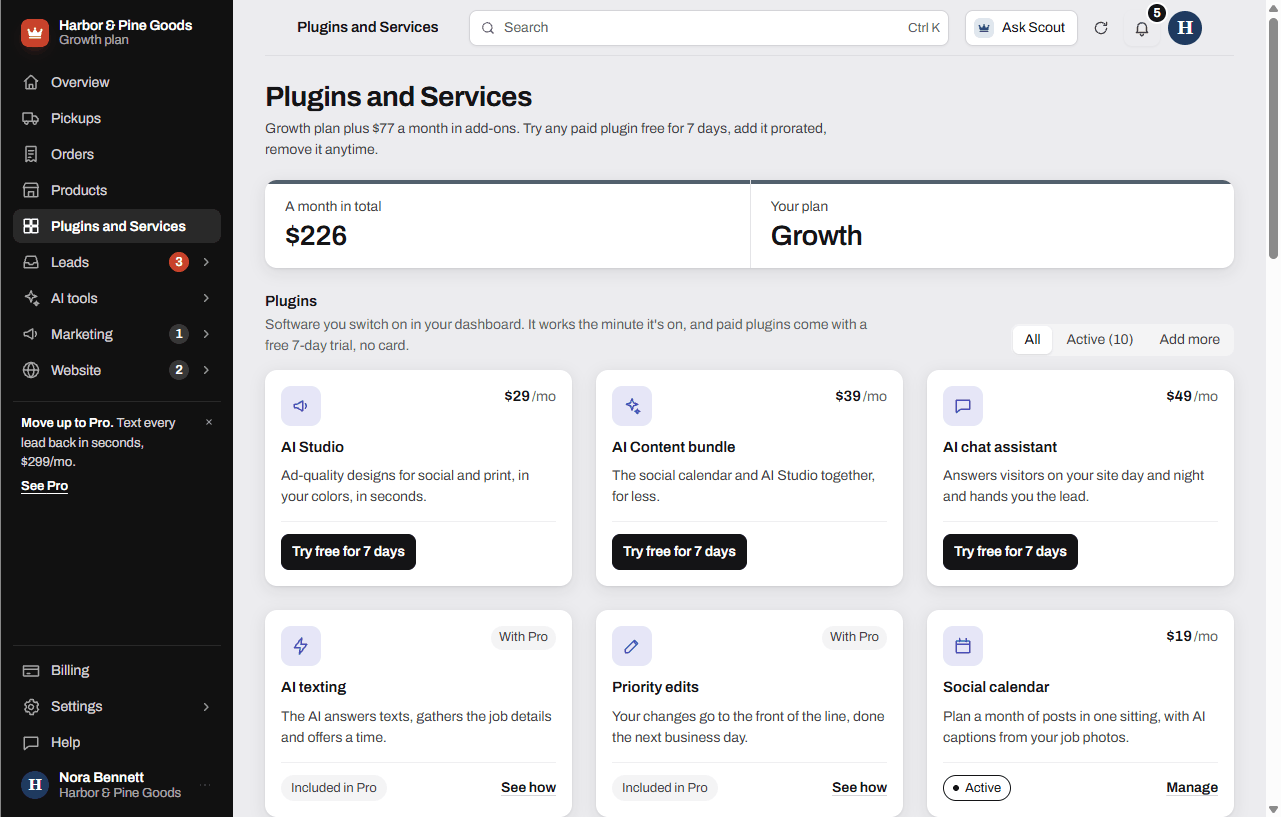
Try a plugin free for 7 days
- Open Plugins and Services at the top of your sidebar.
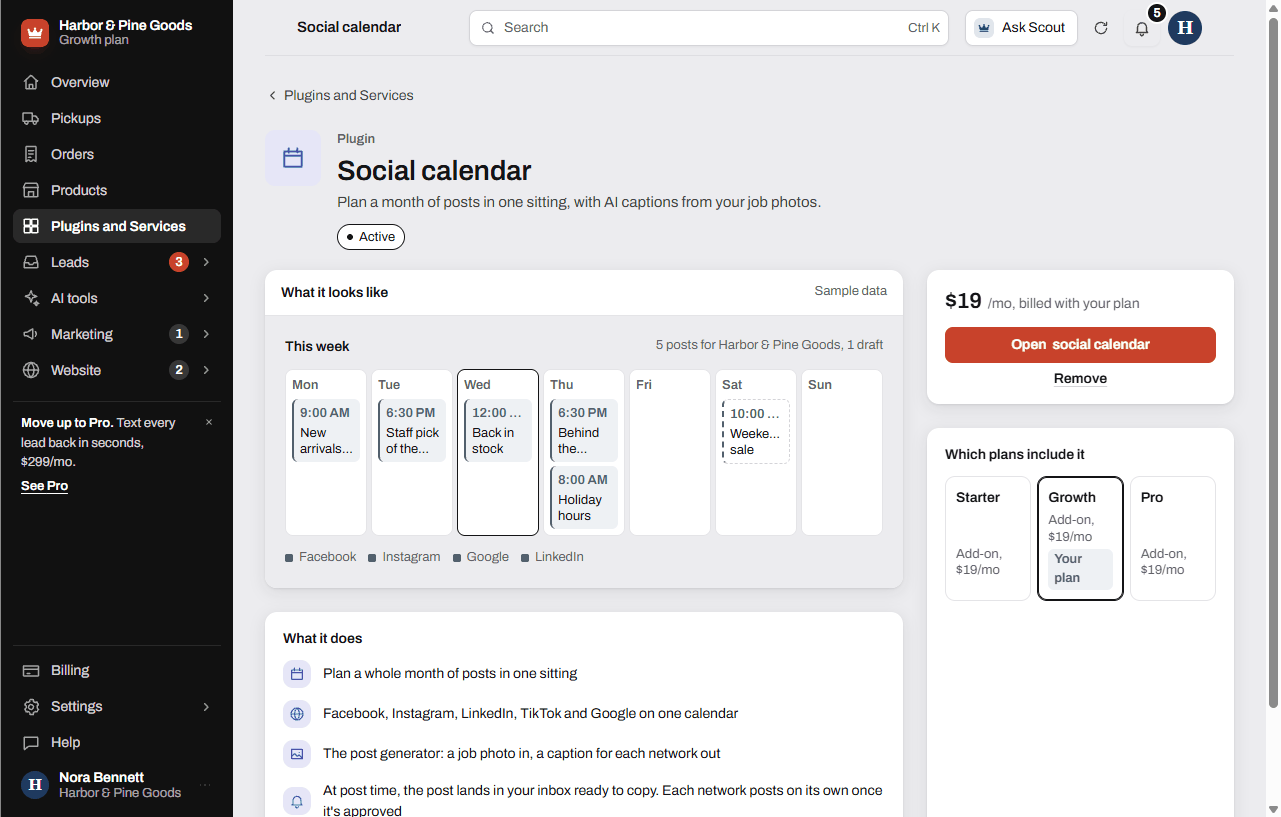
- Click a plugin's name to open its page. You'll see what it does, a preview with sample data, what it costs and which plans include it.
- Click Try free for 7 days. No card is needed.
- The plugin shows up in your sidebar right away.
To keep it, click Keep it with its price, on the plugin's page or on the trial reminder in your dashboard. Do nothing and it switches off at the end of the trial, with nothing charged. Everything you made during the trial stays saved. You get an email when 2 days are left and again on the last day.
Add a plugin
- Open the plugin's page.
- Click Add it with its price. If you've never tried it, the button is Try free for 7 days instead.
- Pay if a checkout opens. The plugin shows in your sidebar as soon as the payment goes through.
Paid plugins bill with your plan on the 1st. The first charge covers only the days left in the month.
Remove a plugin
- Open the plugin's page.
- Click Remove, then Remove it.
It stays on through the month you paid for and comes off your bill on the 1st. There's no refund for the current month. Changed your mind? Click Keep it on before the 1st.
What the labels mean
- Included: your plan covers it. There's nothing extra to pay. Included, ready at launch means it starts the day your site goes live.
- Active: you have it, as a paid plugin or as part of a bundle.
- Trial with days left: you're on the free 7-day trial.
- Try free for 7 days or Add: something you can add.
- With Growth or With Pro: it comes with a higher plan. Open it to see how to move up.
- Requested or Scott is setting it up: you asked for it and Scott is on it.
Use the All, Active and Add more filters at the top to sort the cards.
The plugins
- Social calendar: $19 a month, with the post generator built in.
- AI Studio: $29 a month for 20 designs. Pro includes 5 designs a month.
- AI Content bundle: the social calendar and AI Studio together, $39 a month.
- AI chat assistant: $49 a month, included in Pro.
- Email campaigns: $19 a month.
- Online store: $39 a month, set up with Scott.
- Text alerts and texting inbox and Lead reminders and reports: included in Growth and Pro.
- AI texting and Priority edits: included in Pro.
- Review requests, SEO check-ins, Customers, QR codes and Website traffic: included on every plan.
Order a service
- Scroll down to Services and click a service.
- Pick a size if it has more than one.
- Add anything Scott should know in the note box.
- Click Request it. For a Google Business Profile setup or a domain, you can click Add to pay now and it starts today.
Scott confirms the details and the date with you, and finished work shows in Updates. Paid services show under On the way with the days left.
The services
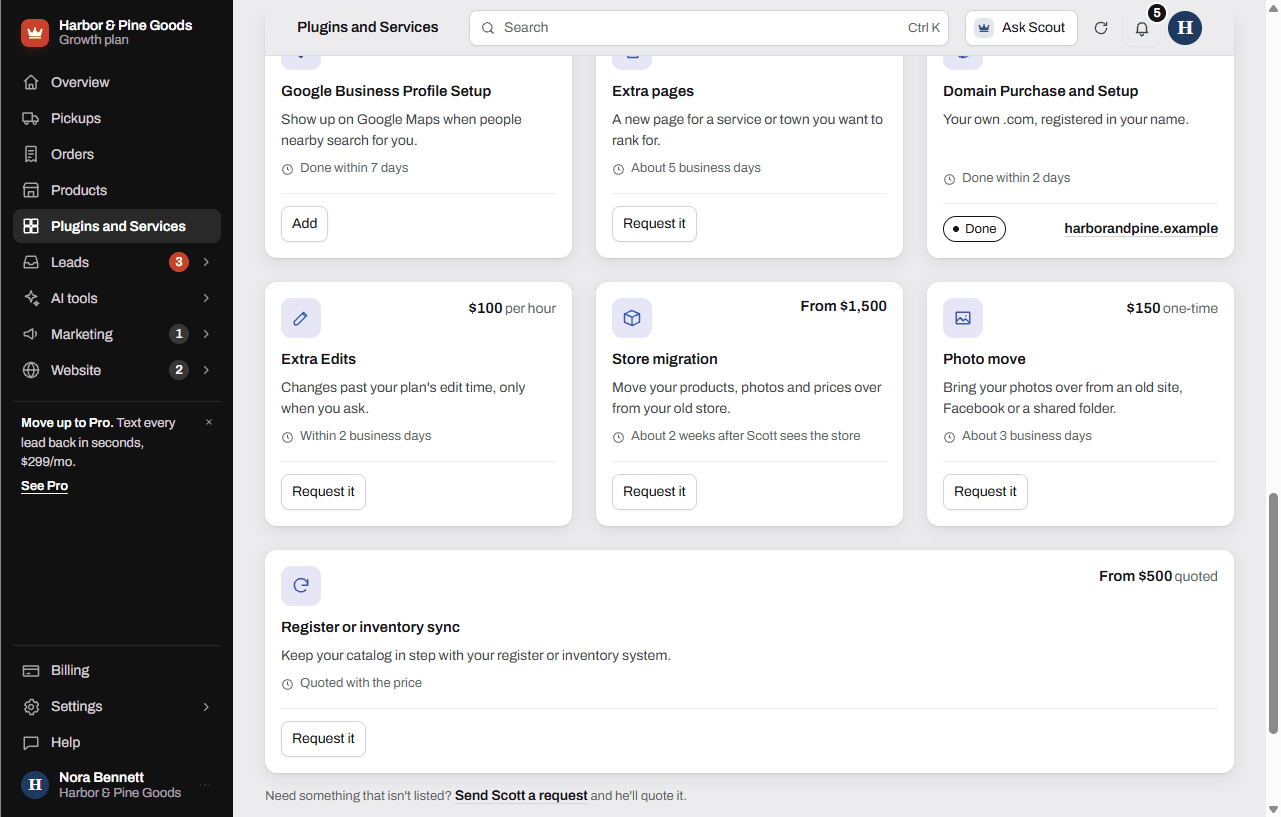
- Google Business Profile Setup: $250 one time, done within 7 days.
- Extra pages: $400 per page, about 5 business days.
- Domain Purchase and Setup: $75 with the first year included, then $35 a year. Connecting a domain you already own is free.
- Extra Edits: $100 an hour past your plan's edit time, sent from Requests.
- Store migration: $1,500 up to 250 products, $2,500 past that, photos included.
- Photo move: $150, free inside a store migration.
- Register or inventory sync: quoted once Scott sees your system, $500 minimum.
- Product Catalog: from $500, for businesses without an online store.
Questions
Do I need a card to try a plugin?
No. Free trials need no card and switch off on their own after 7 days.
What happens when my trial ends?
If you didn't keep it, the plugin switches off and nothing is charged. Everything you made is saved, so you pick up where you left off if you add it later.
Can I try the same plugin twice?
No. Each plugin has one free trial. After that, the button reads Add it with the price.
How am I billed for a plugin?
Plugins bill with your plan on the 1st. The first charge covers only the days left in the month you add it.
If I remove a plugin, do I get money back?
It stays on through the month you already paid for, then comes off on the 1st. There's no refund for the current month.
What does Included mean?
Your plan already covers it, so there's nothing extra to pay. Click it to open the tool.
Why can't I start the online store myself?
Checkout runs through your own Stripe account, so Scott sets it up with you. Click Start setup on its page and he reaches out within one business day. Nothing is billed until your store takes orders.
I pay for the chat assistant. What happens if I move up to Pro?
Pro includes the chat assistant, so the $49 add-on comes off your bill. The same check runs on every plan change, so you never pay twice.
How do I get my Google Business Profile set up?
Open Google Business Profile Setup under Services. Click Add to pay $250 now, and it's done within 7 days. Click Rather talk first? Request it if you'd like to talk first.
What if I need something that isn't listed?
Click Send Scott a request under the services, and he'll quote it before anything starts.