Plugins
Make tracked QR codes
How to make a tracked QR code for your truck, counter or signs, change where it goes, download it for print and see its scans.
Updated
QR codes put your website on your truck, counter, signs and cards, and count every scan. They're free and unlimited on every plan. Each code runs through your own web address, so you can change where it goes later without reprinting anything.
Make a code
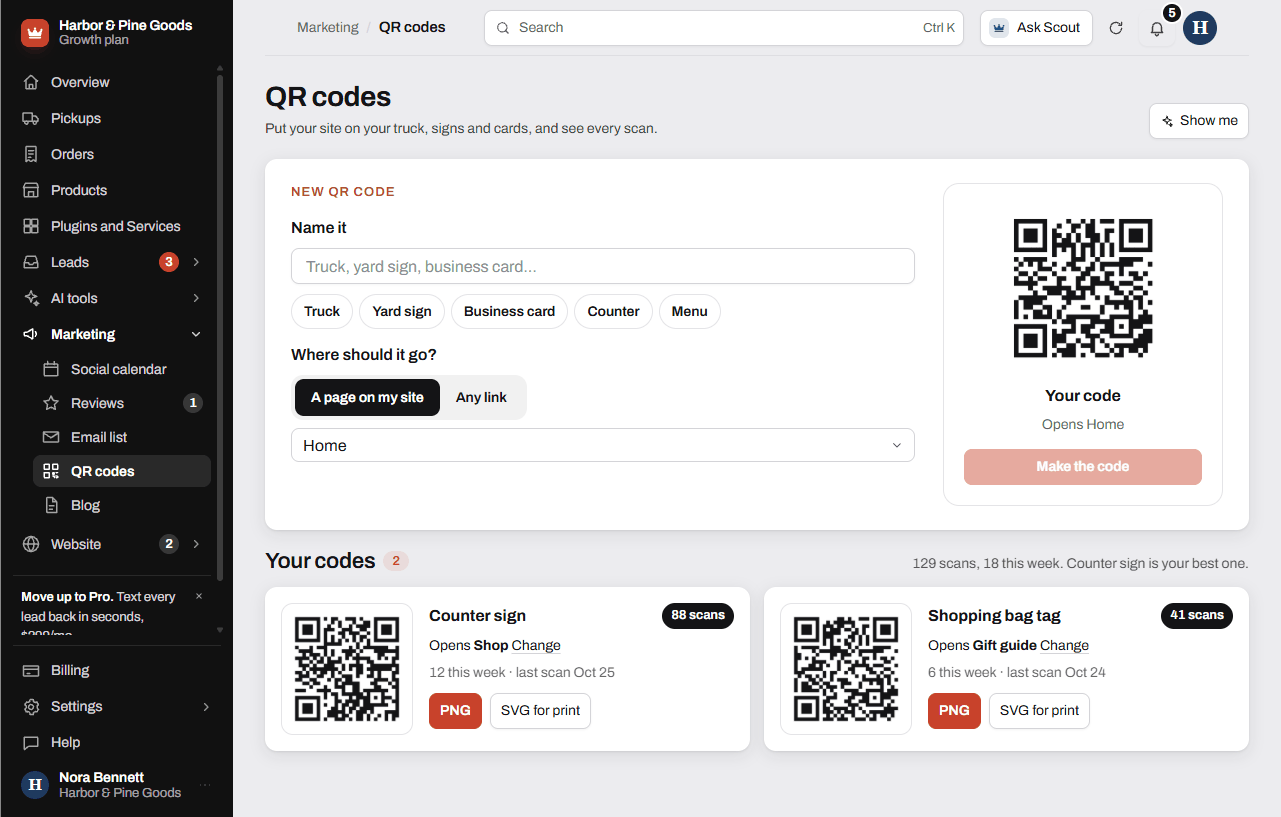
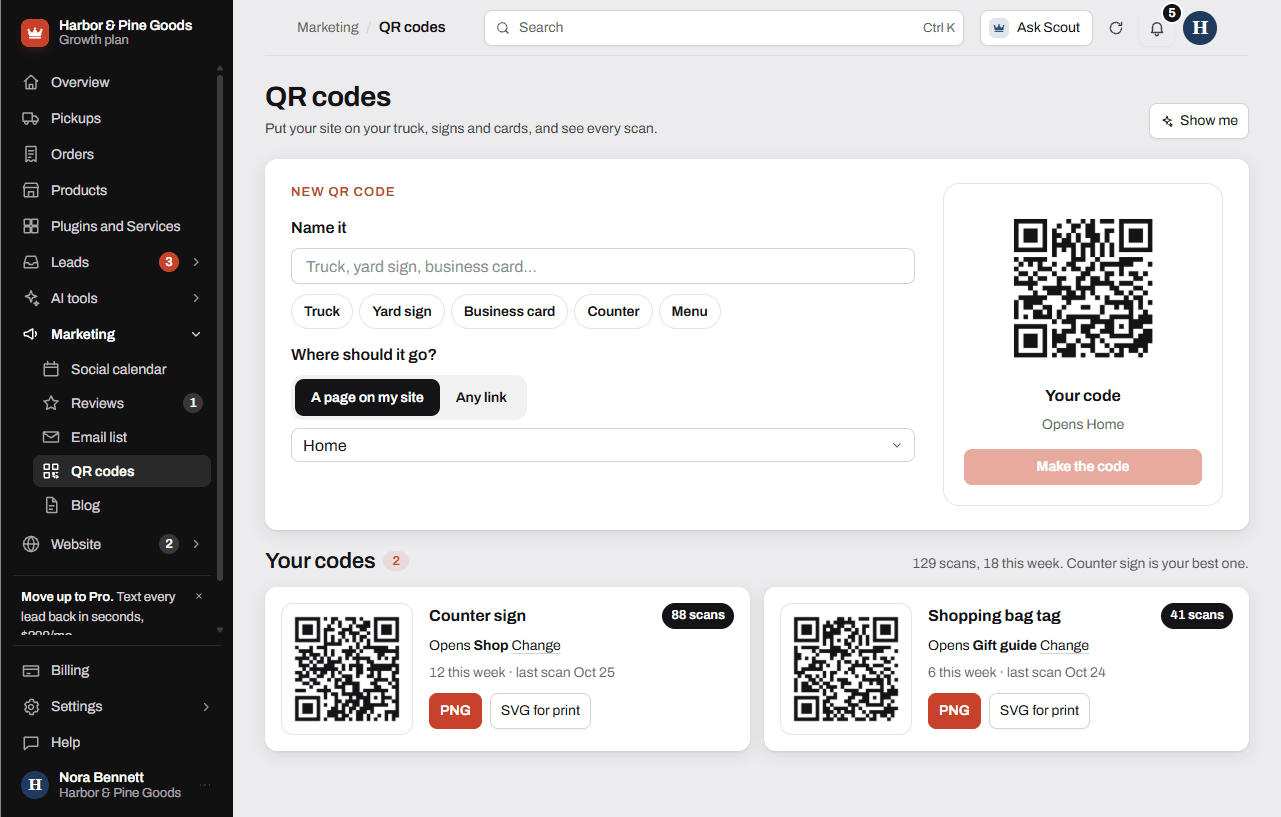
- Open QR codes in your sidebar, under Marketing.
- Under Name it, type a name, or tap one of the ideas like Truck or Counter.
- Under Where should it go?, pick A page on my site and choose the page, or pick Any link and paste a full link.
- Check the preview on the right, then click Make the code.
Download it for print
Every code in Your codes has two downloads:
- PNG: an image for documents, emails and most printing.
- SVG for print: a file that stays sharp at any size. Send this one to a sign or vinyl shop.
Change where a code goes
- Find the code in Your codes.
- Click Change next to where it opens.
- Pick the new page. The printed code now opens the new page, with nothing to reprint.
See your scans
Each code shows its total scans, scans this week and the date of its last scan. The line above your codes adds them up and names your best one. Scans also show up in Website traffic as QR code scans.
Questions
How many QR codes can I make?
As many as you want. QR codes are free and unlimited on every plan.
Can I change where a code goes after it's printed?
Yes. Click Change on the code and pick a new page. The printed code opens the new page right away.
Which file do I send to the shop that letters my truck?
SVG for print. It stays sharp at any size. Use PNG for flyers you print yourself or for documents.
Can I see which code gets scanned the most?
Yes. Each code shows its total scans and scans this week, and the line above your codes names your best one.
Can I make a code that opens my Google review page?
Yes. Pick Any link and paste your Google review link. Put it on the counter or on a card that goes home with each pickup.
Can I put a code on repair tags that opens my request form?
Yes. Pick A page on my site and choose the page with your request form. Name it something like Repair tag so you can tell its scans apart.
Does the code show my business's web address?
Each code runs through your own address, like yourdomain.com/qr/truck. That's what lets you change where it goes later.
Can I delete a code?
There's no delete button yet. Point an old code somewhere useful with Change, or send Scott a request if you want it gone.
Do QR scans show in my website traffic?
Yes. In Website traffic, they show as QR code scans under where visitors came from.
Can I make codes before my site is live?
You can set them up now. Your codes go live when your site does.