Plugins
Let AI answer your texts
How AI texting answers customers who text your business number, follows up with quiet leads, and what it will and won't say.
Updated
AI texting answers customers who text your business number, in your voice. It gathers the job details, offers a time with your booking link, and texts you the moment a job is ready. It can also check in with leads who went quiet. AI texting comes with the Pro plan.
Before it can start
- Your own texting number. AI texting answers texts to your business number, so it waits until your number is set up and registered with the carriers. Scott sets it up. Until then, AI texting doesn't show in your sidebar.
- Your brand voice. AI texting answers as you, so it needs your brand voice first.
- Your assistant's info. It answers from the same Basics your chat assistant uses: about your business, services and prices, hours and the rest.
Turn it on
- Open AI texting in your sidebar, under AI tools.
- Switch on AI answers texts.
- Switch on Follow up with quiet leads if you want it to check in with leads who stopped replying.
- In Extra notes for texts (optional), add anything about how texts should sound. It already uses your brand voice.
- Paste your Booking link (optional) if you use an online calendar. It has to start with https://.
- Click Save.
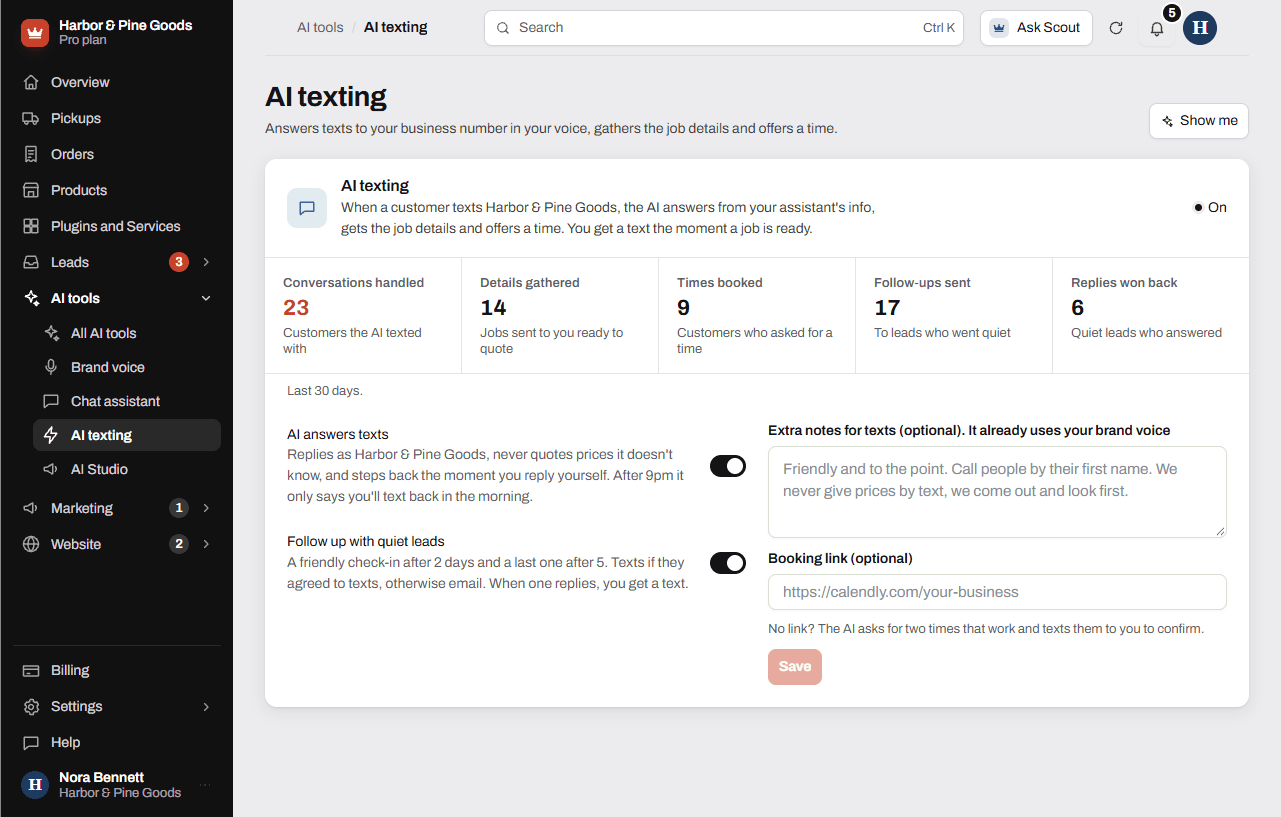
The cards at the top count what it did in the last 30 days: conversations handled, details gathered, times booked, follow-ups sent and replies won back.
What it does and doesn't do
- It replies as your business and never quotes prices it doesn't know.
- It steps back the moment you reply yourself in that conversation.
- After 9pm it only sends one text saying you'll text back in the morning, after 8am.
- It never answers STOP or other opt-out texts.
- Quiet-lead follow-ups go out after 2 days and a last one after 5. They go by text if the lead agreed to texts, and by email if not. When one replies, you get a text.
Turn on Text alerts so job summaries come to your phone. Until then they go to your email.
Which plans include it
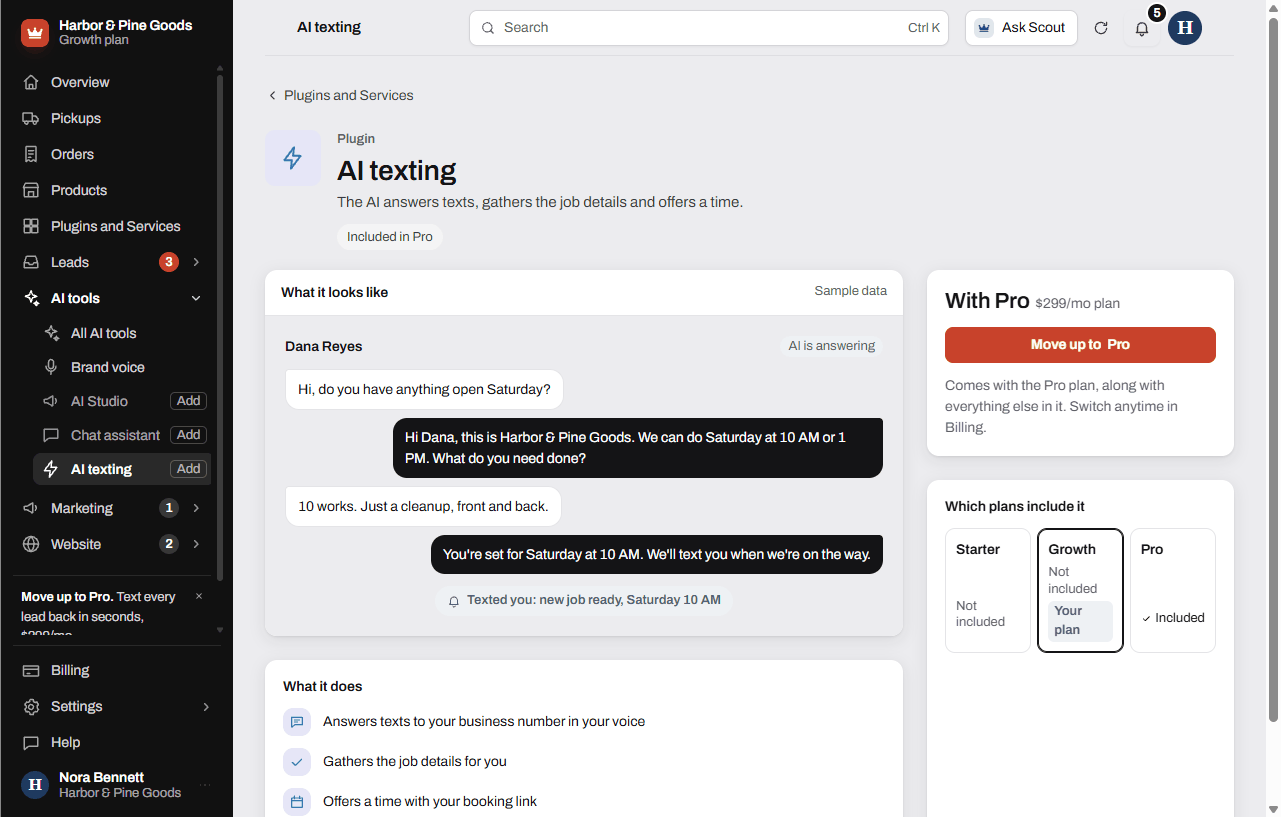
AI texting comes with Pro and isn't sold on its own. On Starter or Growth, open Plugins and Services and click AI texting to see how to move up.
Questions
A customer texts asking if we can fix their mower. What happens?
The AI answers from your info, asks for the details you'd need, like the machine and what's wrong, and offers a time. When it has what you need, it texts you that a new job is ready.
Will it quote repair prices?
Only prices you wrote in your assistant's Services and prices. It never invents or estimates a price, a discount or a date.
What if I want to answer a customer myself?
Reply in your texting inbox. The AI steps back in that conversation as soon as you text.
Will it text people late at night?
No. Between 9pm and 8am it sends one short text saying you'll text back after 8am, then picks the conversation up in the morning.
Do I need an online booking calendar?
No. With no booking link, it asks the customer for two times that work and texts them to you to confirm.
What does follow up with quiet leads mean?
When a lead stops replying, it sends a friendly check-in after 2 days and a last one after 5. If they answer, you get a text that they're ready.
What if someone texts STOP?
It never answers opt-out texts, and the person stops getting texts from your number.
Is AI texting on the Growth plan?
No. AI texting comes with Pro only. Growth has text alerts, the texting inbox and an instant text back to new leads who ask for texts.
Why don't I see AI texting in my sidebar?
It shows once your own texting number is set up and you're on Pro. Scott sets up the number. Until then your plugin page says it's waiting on your texting number.
Can I change how it sounds in texts?
Yes. It follows your brand voice. Add anything specific to texts in Extra notes for texts (optional) and click Save.