Plugins
Lead reminders and reports
How lead reminders nudge you before a lead goes cold, how to stop a reminder, and what the lead report and monthly email show.
Updated
Lead reminders make sure no lead sits unanswered. When a lead is still marked New after a day, you get a nudge by email. You also get a lead report in your dashboard whenever you want one, and a monthly report in your inbox. It comes with the Growth and Pro plans.
How the reminders work
- A lead comes in from your website and lands in Form submissions (or Leads) marked New.
- If it's still marked New a day later, you get one reminder email the next morning. Each lead gets one reminder.
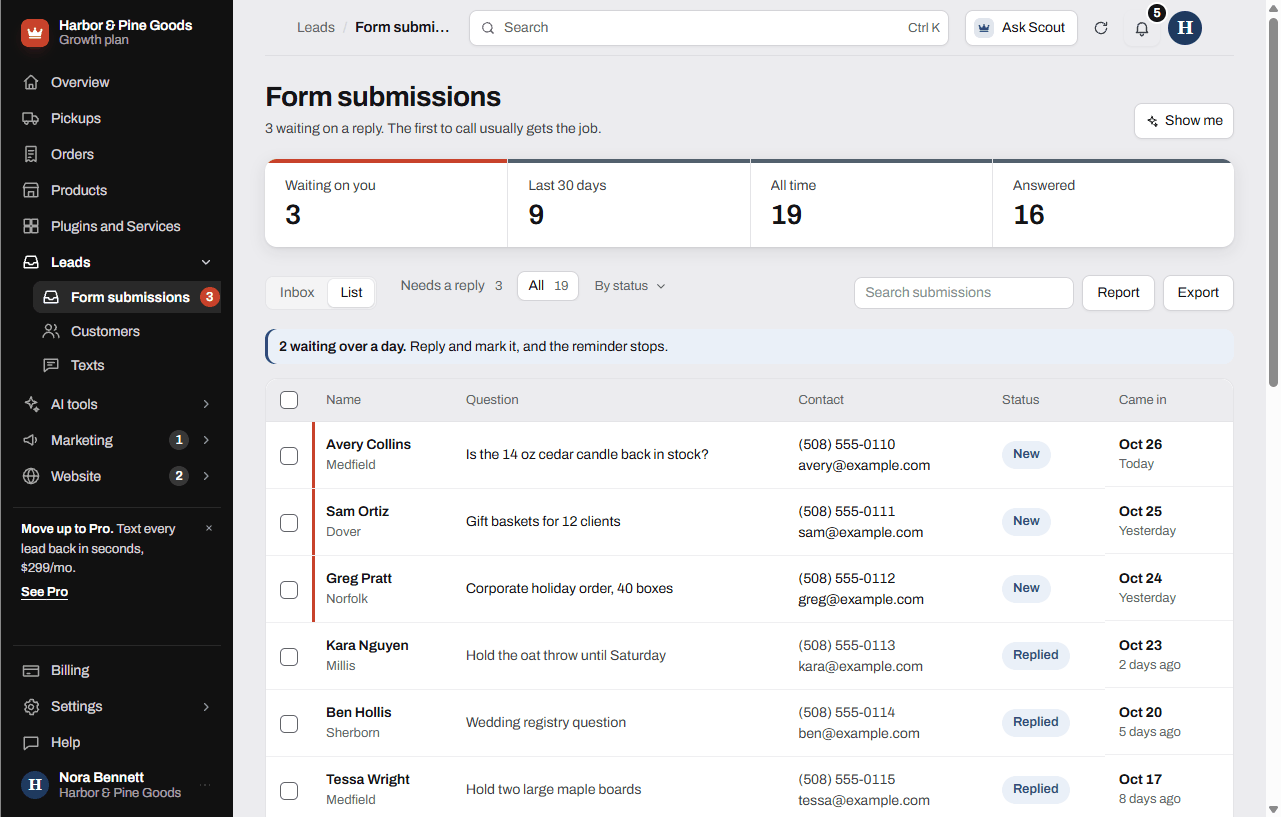
- At the top of the page, a banner shows how many are waiting over a day. Click it to see your New leads.
- Reply to the lead, then change its status from New. The reminder stops.
Pull a lead report
- Open Form submissions (or Leads) in your sidebar.
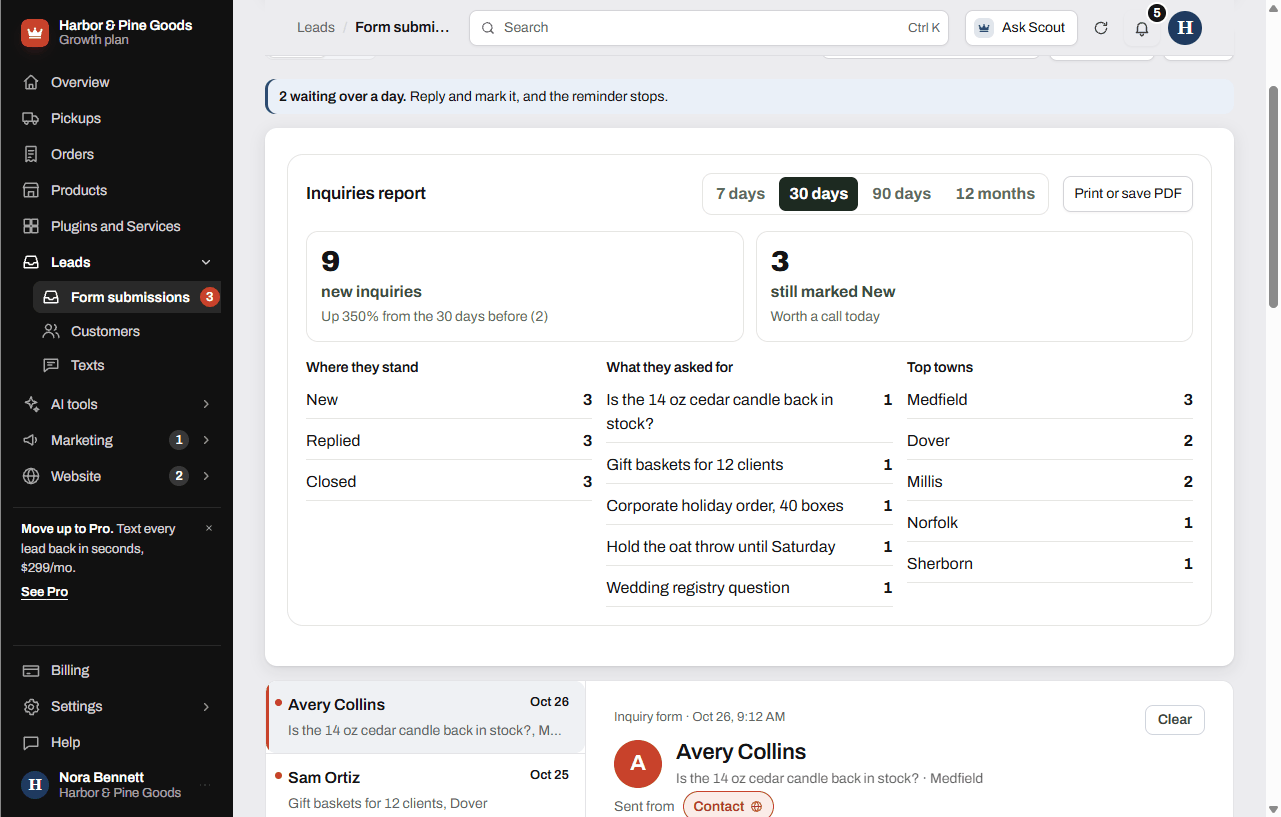
- Click Report.
- Pick a range: 7 days, 30 days, 90 days or 12 months.
- Click Print or save PDF to print it or keep a copy.
The report shows how many leads came in compared to the period before, how many are still marked New, where they stand, what they asked for and your top towns. If your leads carry an amount, it shows the total too. Click Close report to put it away.
The monthly report email
On the 1st of each month you get an email about the month before. It covers your leads by source and form, how many got answered, texts, review requests and ratings, and website visits with your top pages, each compared to the month before.
Which plans include it
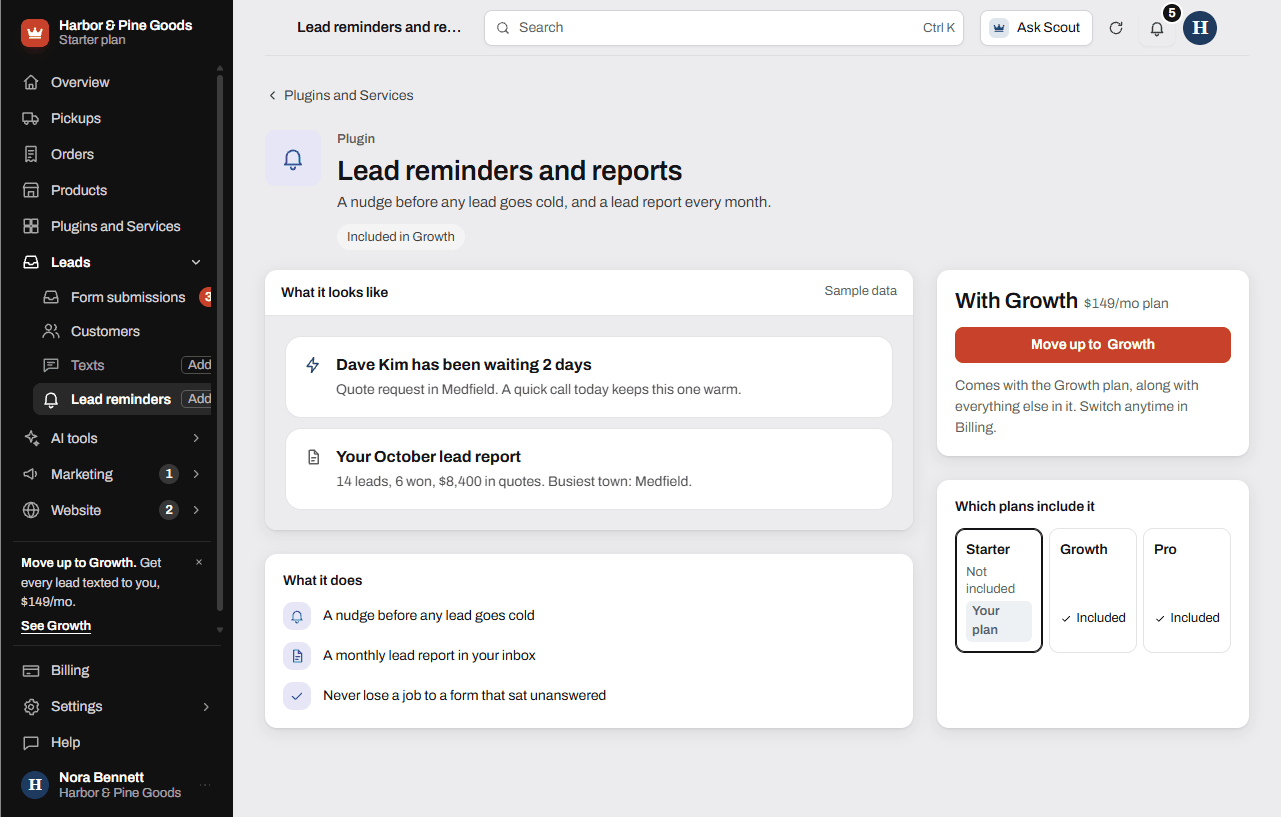
Lead reminders and reports come with Growth and Pro. On Starter, open Plugins and Services and click Lead reminders and reports to see how to move up.
Questions
What counts as a lead waiting too long?
Any lead still marked New a day after it came in. Changing its status tells the dashboard you've handled it.
How many reminder emails will I get?
One email in the morning when something has been waiting over a day. Each lead only gets one reminder, so you won't get the same one twice.
How do I make a reminder stop?
Reply to the person, then change the lead's status from New to the next step, like Replied. That lead won't come up again.
Does the reminder come by text?
No, reminders come by email. Text alerts are separate: they text you the second a new lead comes in.
What's in the monthly report?
Last month's leads by source and form, how many got answered, texts, review requests and ratings, and website visits with your top pages. Each number is compared to the month before.
When does the monthly report come?
On the 1st of each month, to the email on your account.
Can I see a report for the busy season only?
Click Report and pick 90 days or 12 months. The report counts what came in during that range and compares it to the same length of time before.
Can I print the report for my records?
Yes. Click Print or save PDF on the report.
Is this on the Starter plan?
No. Lead reminders and reports come with Growth and Pro. On Starter, every lead is still saved and emailed to you the second it comes in.
Can I export my leads to a spreadsheet?
Yes, on any plan. Click Export on the Form submissions page and pick the file type you want.