Plugins
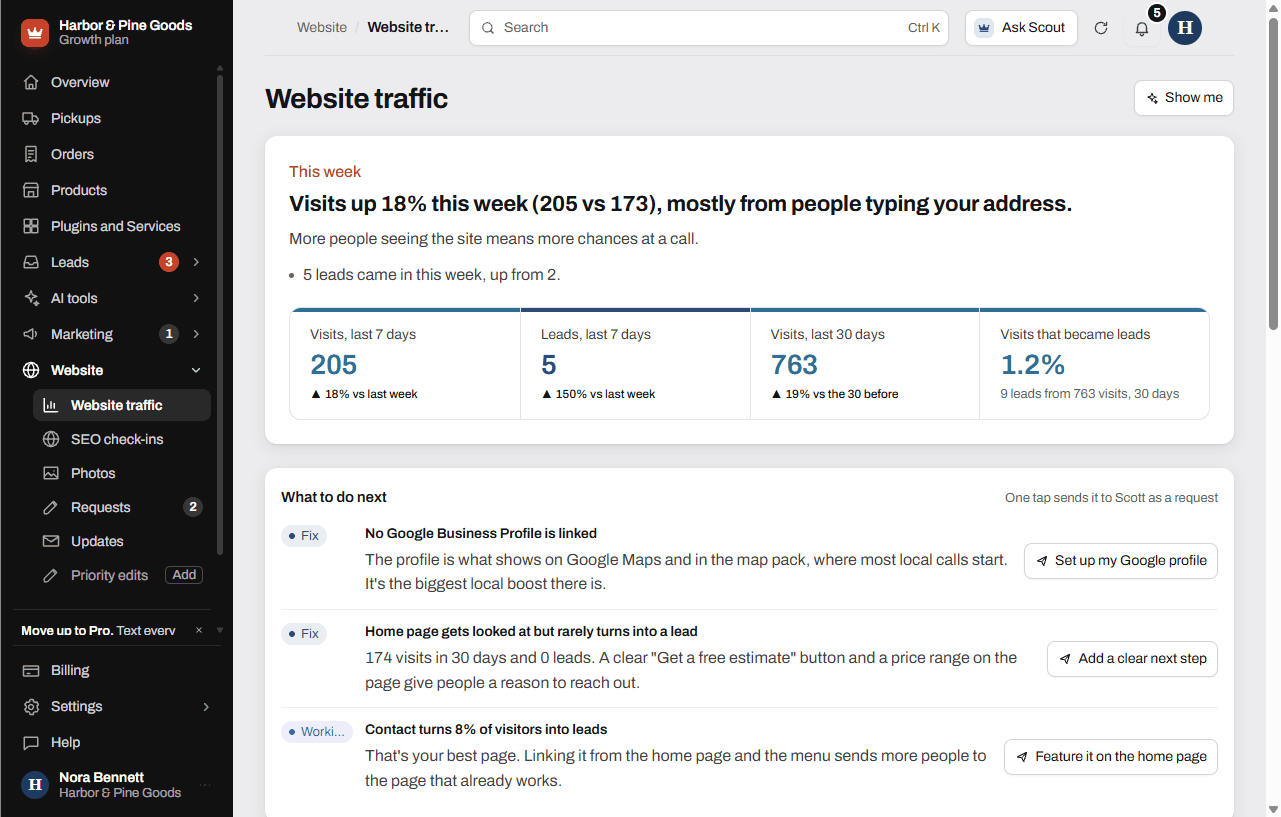
Read your website traffic
What the Website traffic page shows, where the numbers come from, and how to act on what it finds.
Updated
Website traffic shows how many people visit your site, how they found you and which pages turn them into leads, in plain English. It's included on every plan and needs no setup. The numbers come from a counter built into your KingsWay site, with no cookies and no personal data.
Read the page
- Open Website traffic in your sidebar, under Website.
- Start with This week. The headline sums up the week, and the strip shows visits and leads for the last 7 days, visits over the last 30 days, and how many visits became leads.
- Check What to do next. Each item is tagged Working, Fix or Watch. Click its button to send it to Scott as a request.
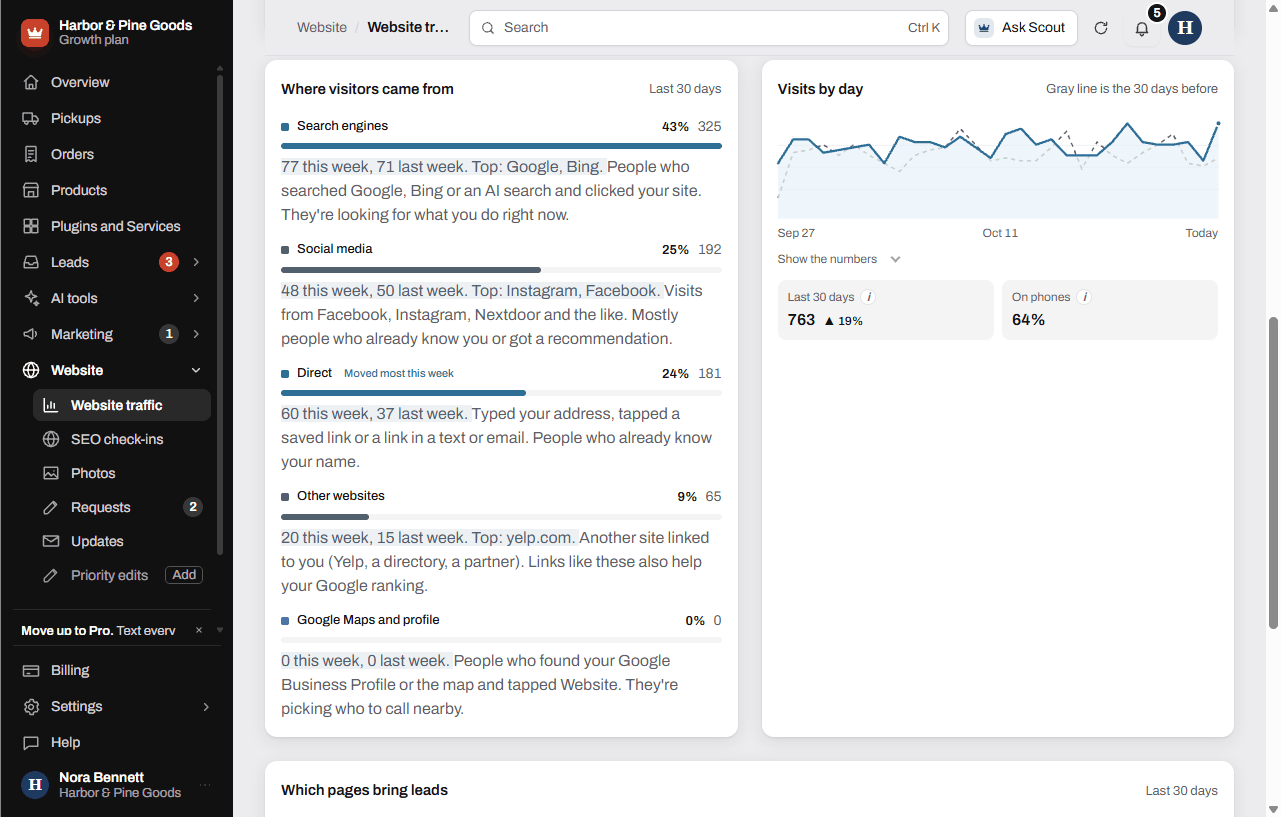
- Scroll to Where visitors came from to see your sources for the last 30 days.
- Look at Visits by day. The gray line is the 30 days before, so you can see if you're up or down.
- Check Which pages bring leads to see what each page does for you.
What the sources mean
- Search engines: people who searched Google, Bing or an AI search and clicked your site.
- Google Maps and profile: people who found your Google Business Profile or the map and tapped Website.
- Social media: visits from Facebook, Instagram, Nextdoor and the like.
- Direct: people who typed your address or tapped a saved link, or a link in a text or email.
- Other websites: another site linked to you, like a directory.
- QR code scans: someone scanned one of your tracked QR codes.
When Google Search Console is connected for your site, the strip also shows clicks from Google. Those numbers run about 3 days behind.
Questions
Where do these numbers come from?
A visit counter built into every KingsWay site. It counts the page, the site someone came from, and phone or computer. It uses no cookies and keeps no personal data.
Does it count my own visits to the site?
Yes, visits to your public site count, yours included. Time spent in your dashboard doesn't.
Is this Google Analytics?
No. It's KingsWay's own counter, so there's nothing for you to set up or log into. Google's numbers show alongside it once Search Console is connected.
Can I see how many people found me on Google?
Yes. Search engines shows visits from Google and other searches. Google Maps and profile shows people who tapped through from your Google listing.
Does it show how my Facebook page is doing?
No. It shows visits to your website that came from Facebook. It doesn't show likes, reach or anything else from inside Facebook.
What should I do with What to do next?
Read each item and click its button if you want Scott on it. That sends it to him as a request, and the item shows Requested.
Which page gets people to call or fill out the form?
Look at Which pages bring leads. It shows each page's visits and leads for the last 30 days, and marks the best one.
Did my QR code on the truck bring anyone to the site?
Check QR code scans under Where visitors came from. Each code's own scans are on the QR codes page.
How far back can I see?
The charts cover the last 30 days, compared to the 30 days before. The strip at the top covers the last 7 days, compared to the week before.
Why does it say no visits counted yet?
Traffic starts counting the day the counter goes live on your site. Check back in a few days.