Plugins
Set up your brand voice
How to set up the brand voice every AI tool follows, how to edit it, and which tools use it.
Updated
Your brand voice is how your business sounds. Your chat assistant, AI texting, social posts, AI Studio designs and product search text all follow it. Every AI tool waits until it's saved, and it takes about two minutes.
Set it up
- Open Brand voice in your sidebar, under AI tools.
- Click Set up my brand voice.
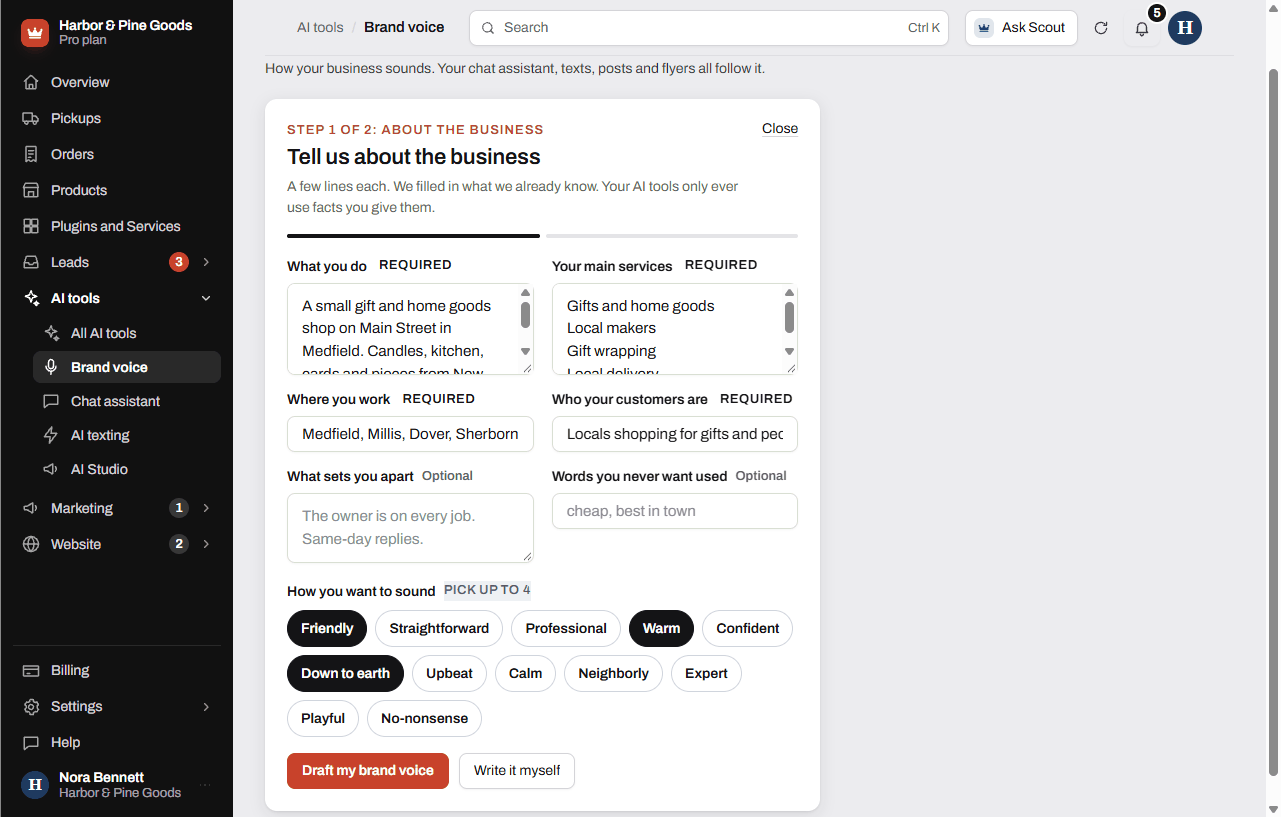
- Answer the questions: What you do, Your main services, Where you work and Who your customers are are required. What sets you apart and Words you never want used are optional. Some are filled in already from what your dashboard knows.
- Under How you want to sound, pick up to 4 words, like Straightforward, Neighborly or No-nonsense.
- Click Draft my brand voice, or Write it myself to fill in the next step by hand.
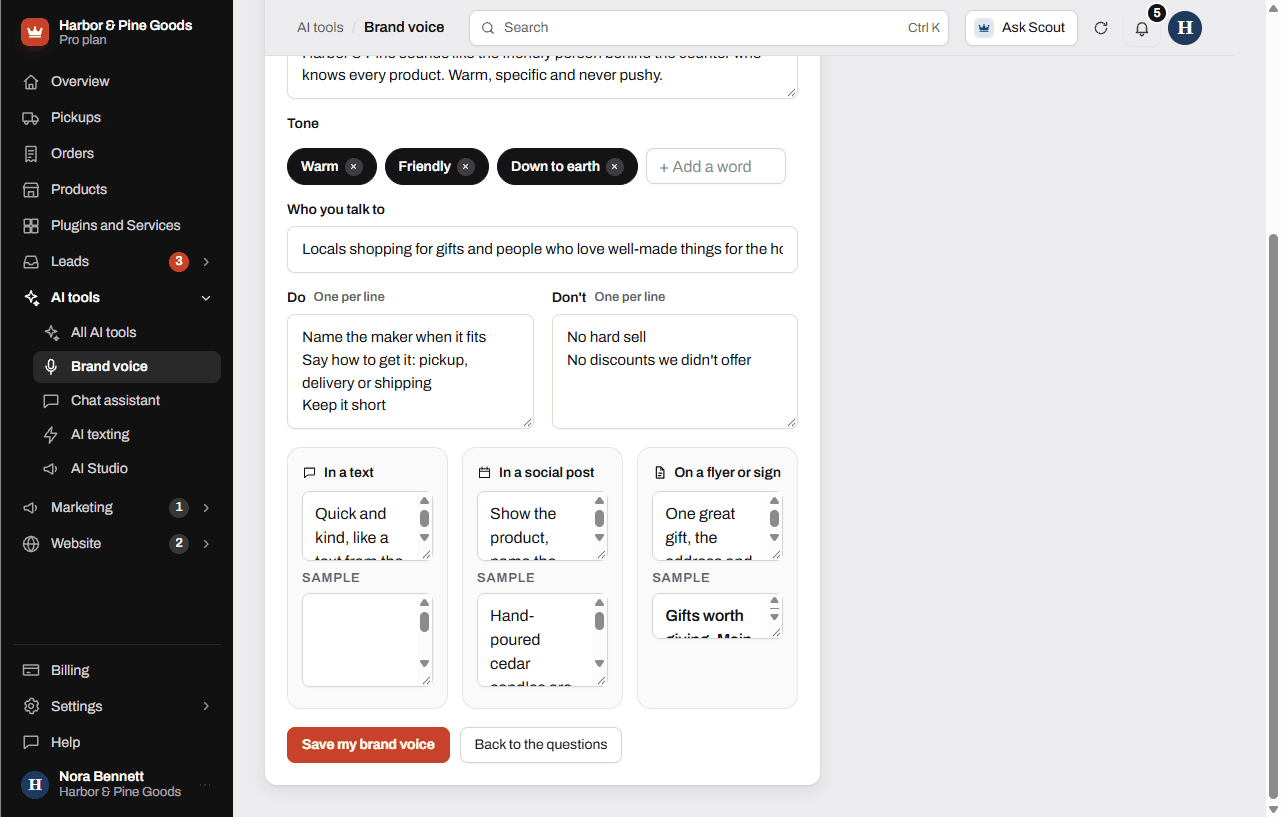
- Check the draft. Edit the summary, the tone words, who you talk to, and the Do and Don't lists, one per line.
- Check how you sound In a text, In a social post and On a flyer or sign, with a sample line for each.
- Click Save my brand voice.
Change it later
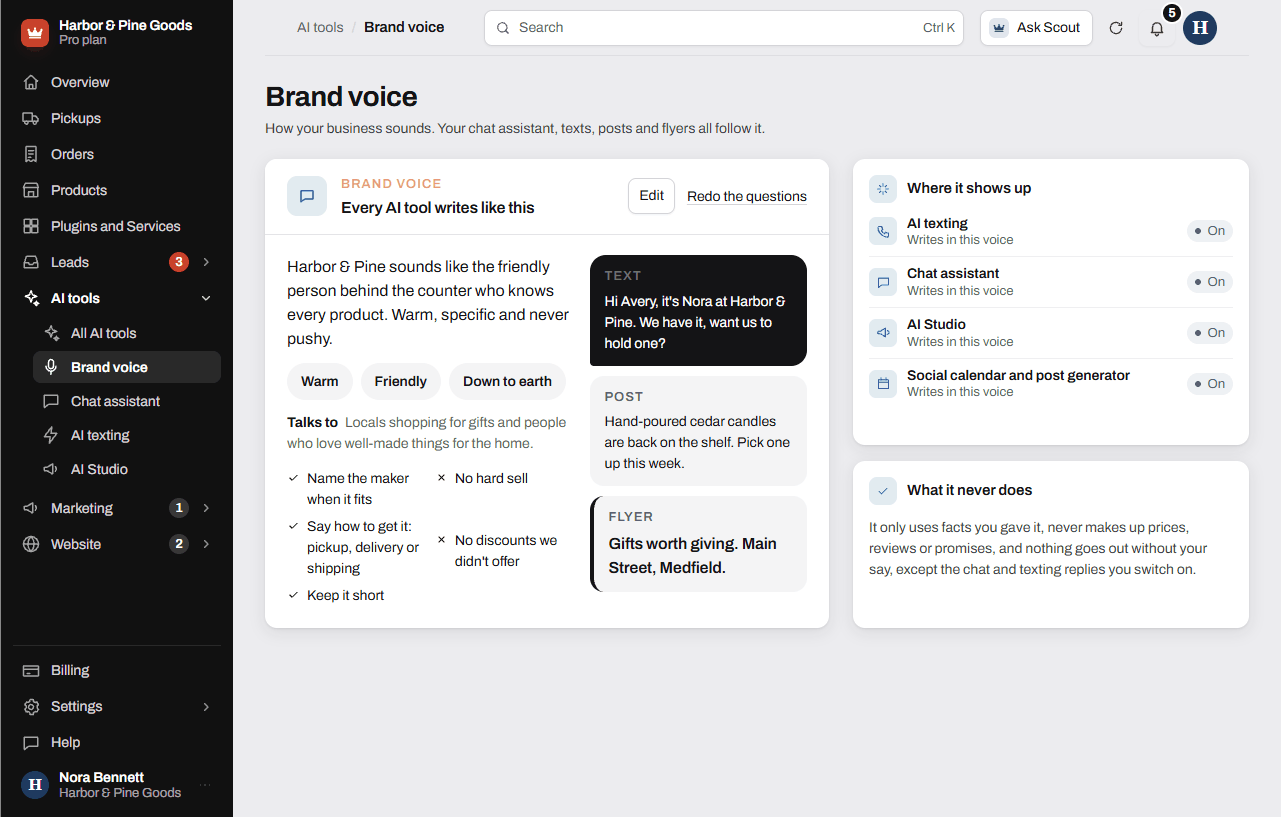
Your saved voice shows on the Brand voice page. Click Edit to change any part of it, or Redo the questions to start again from the questions with your old answers filled in. Click Save my brand voice when you're done.
Where it shows up
The Where it shows up list on the page shows each AI tool and whether it's writing in your voice:
- AI texting: replies to customers who text your business number.
- Chat assistant: answers visitors on your website.
- AI Studio: the words on your flyers, cards and signs.
- Social calendar and post generator: captions for each network.
The Suggest with AI button on a product's search settings writes in your voice too.
What it never does
It only uses facts you gave it. It never makes up prices, reviews or promises. Nothing goes out without your say, except the chat and texting replies you switch on.
Questions
Why do I need a brand voice?
Every AI tool waits until it's saved, so it writes like you and not like a robot. You set it up once and every tool follows it.
How long does it take?
About two minutes. Answer the questions, check the draft and save.
Which tools use it?
The chat assistant, AI texting, the post generator in the social calendar, AI Studio, and the AI search text suggestions for your products.
Can I write it myself instead of letting AI draft it?
Yes. Answer the questions, then click Write it myself. You get the same editor, filled in only from your answers.
Can I stop it from calling us the cheapest in town?
Yes. Put words like that in Words you never want used, or add a line to the Don't list. Every tool steers clear of them.
Will it make up facts about my store?
No. It only uses facts you gave it. If something isn't in your answers or your tools' info, it leaves it out.
Can texts sound different than flyers?
Yes. Step 2 has a box for how you sound in a text, in a social post and on a flyer or sign, each with a sample line.
Can I change it later?
Yes. Click Edit on the Brand voice page, change what you want, and click Save my brand voice.
Does the brand voice cost anything?
No. It comes with your dashboard and is there whenever you have an AI tool.
Will the AI send things out without me?
No, except the chat assistant and AI texting replies, once you switch those on. Posts, designs and search text only go out when you choose.