Your dashboard
Your email list and campaigns
Who is on your email list, how to add people, and how to write, test and send a campaign.
Updated
The Email list keeps everyone who sent a form on your site or signed up for updates, in one place. Write a campaign once and each person gets their own email, with unsubscribes handled for you. It's the Email campaigns plugin, $19 a month on any plan.
Send a campaign
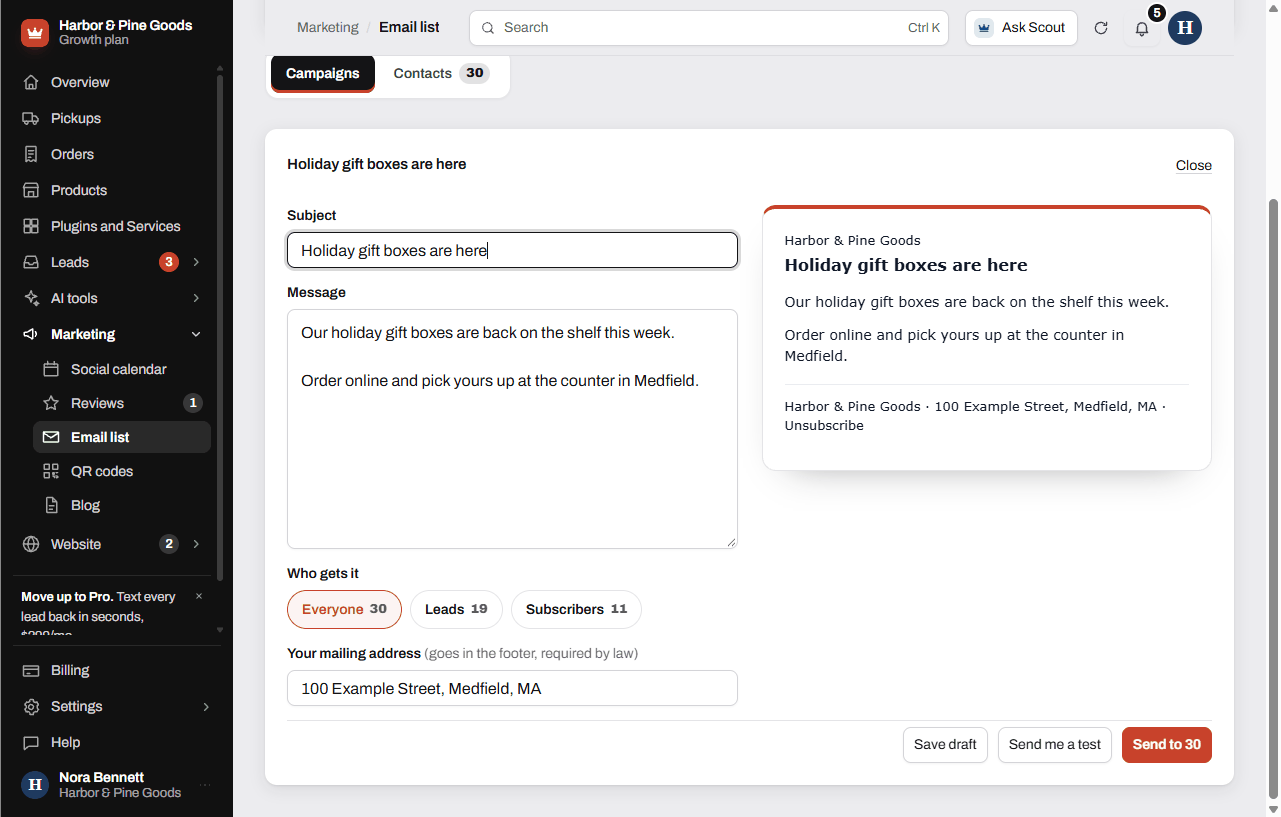
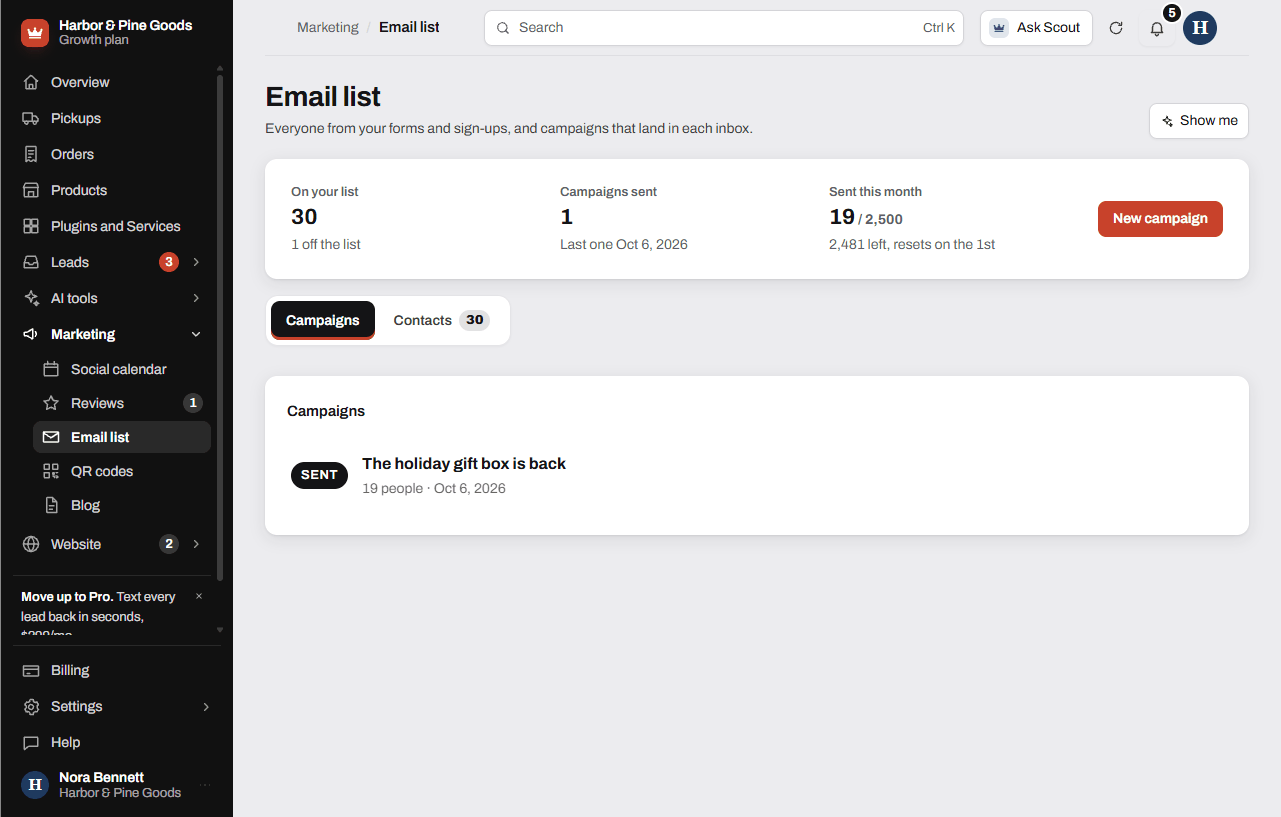
- Open Marketing, then Email list, and tap New campaign.
- Type a Subject and your Message. Leave a blank line between paragraphs. Links work as you type them.
- Under Who gets it, pick Everyone or one group.
- Fill in Your mailing address. The law requires it at the bottom of every marketing email, and it's saved for next time.
- Tap Send me a test and check how it looks in your inbox.
- Tap Send to with the number on it, then Yes, send it.
Add people to your list
- Tap Contacts, then Add people.
- Paste email addresses, one per line or straight from a spreadsheet. Only add people who expect to hear from you.
- Tap Add them. To take someone off, tap Remove next to them.
Questions
Who's already on my list?
Everyone who sent a form on your site with an email, and anyone who signed up for updates. People you paste in are added too. The Contacts tab shows how each one joined.
Can I bring in my customer list from my register?
Yes. Export the emails from your register system, then paste them into Add people. Only add customers who expect email from you.
How many emails can I send?
Up to 2,500 a month. The top of the page shows how many are left, and it resets on the 1st.
Can I put photos in the email?
The message is written as text, and links work. To show off a product, link to its page on your site.
Can I see who opened it?
No. The list shows how many people each campaign went to and any that didn't go through. Opens aren't tracked.
Can I schedule a campaign for Saturday morning?
Not today. Save it with Save draft and send it when you're ready. A draft opens again from the Campaigns list.
Some people didn't get it. What do I do?
The campaign shows how many didn't go through. Tap the Resend to the ... who didn't get it link under it, which carries their count. If a send stopped partway, tap Send the rest.
What happens when someone unsubscribes?
Every email has an unsubscribe link at the bottom. Anyone who uses it, bounces or marks you as spam comes off the list on their own and shows as off the list in Contacts.
Can I send only to the people who asked about snow blowers?
You can send to Everyone or to one of the groups shown under Who gets it, like the people who sent a form. There's no picking by what they asked about.
What does it cost, and can I try it first?
Email campaigns is $19 a month on any plan. Try it free for 7 days from Plugins and Services, no card needed, and remove it anytime.