Your dashboard
Social calendar and the post generator
How to plan posts for Facebook, Instagram, Google, LinkedIn and TikTok on one calendar, write captions from a photo, and post them when it's time.
Updated
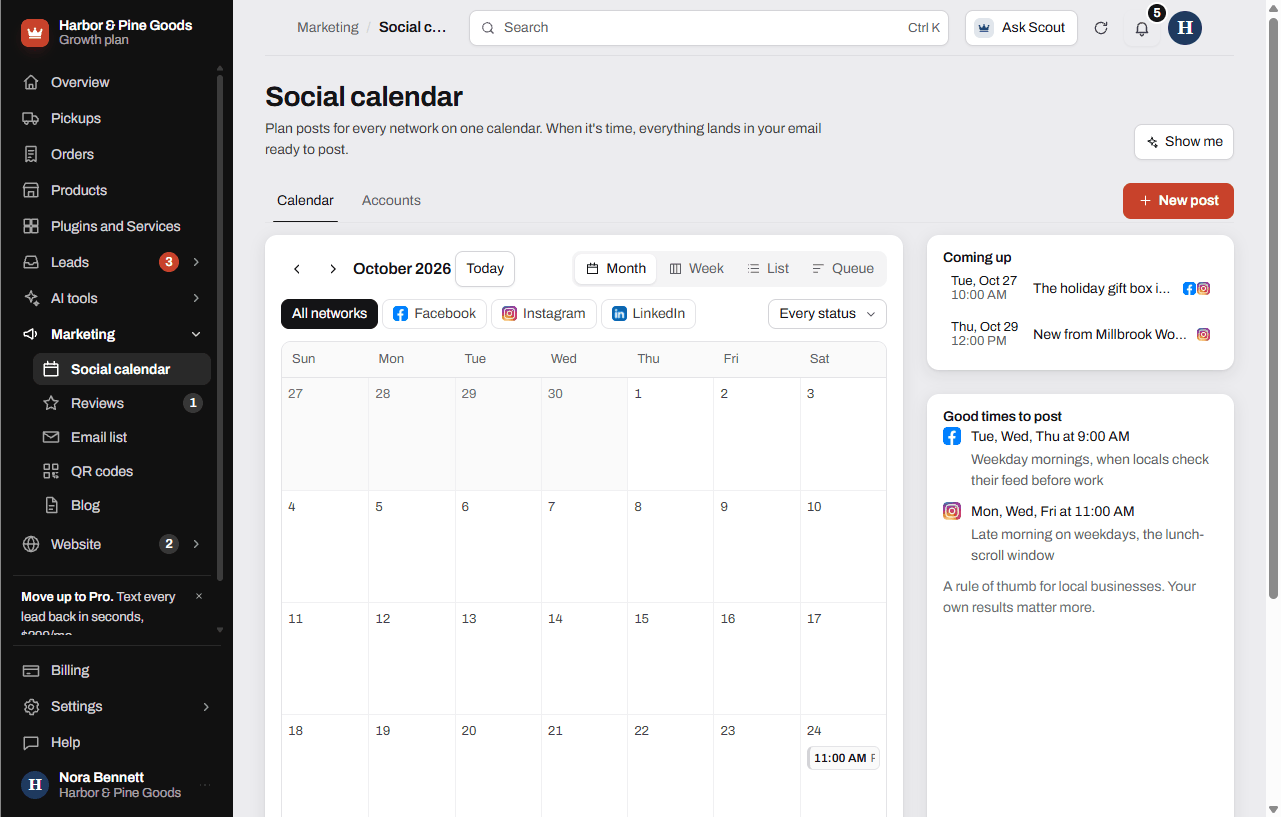
The Social calendar puts Facebook, Instagram, Google, LinkedIn and TikTok on one calendar. You plan the posts and pick a time. At that time the post comes to your email ready to copy, and each network starts posting on its own once it approves KingsWay for your account. The post generator is built in.
Make a post
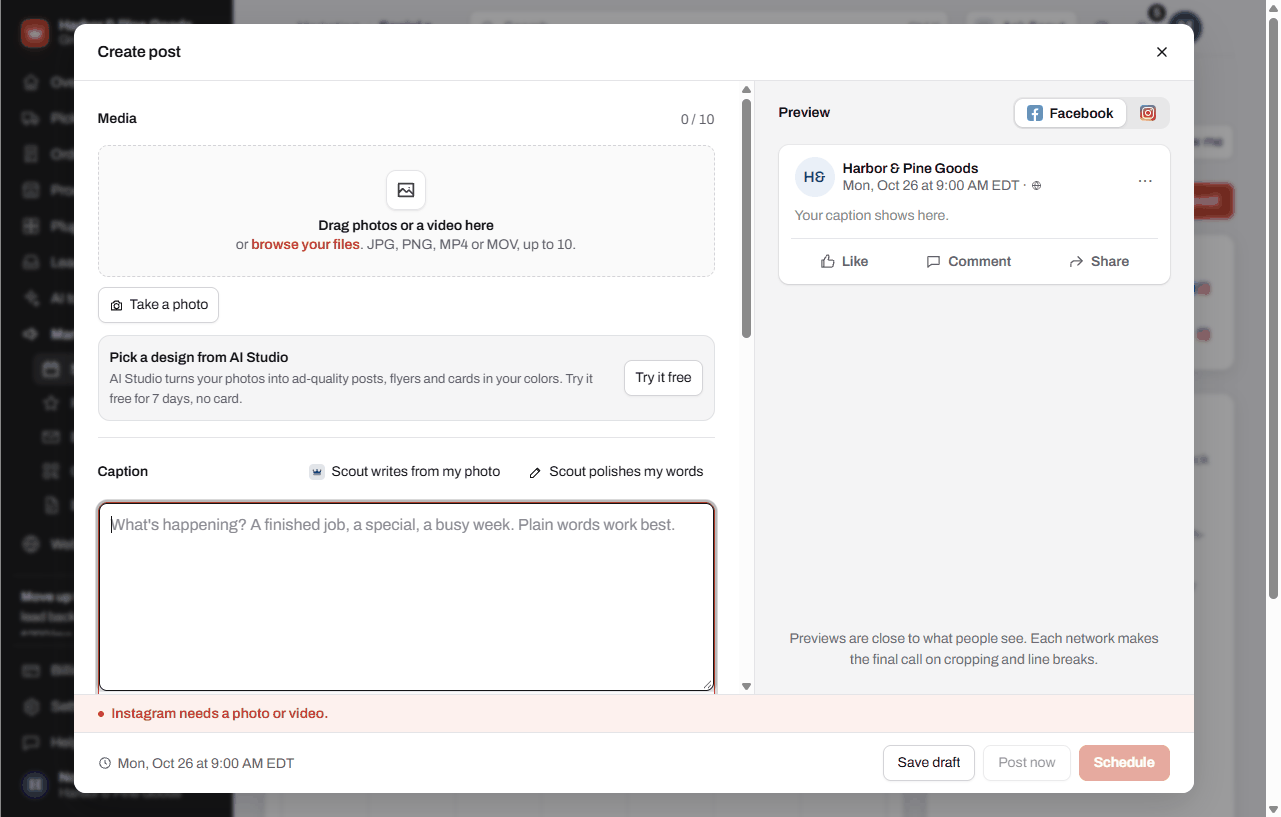
- Open Marketing, then Social calendar, and tap New post.
- Drag photos or a video into Media, or tap to add them. The first one is the cover.
- Write a few words in Caption, like what it is, where and any offer. Tap Scout writes from my photo for a caption from your photo, or Scout polishes my words to clean up what you typed.
- Under Post to, tap each network you want.
- Under Schedule, pick the date and time.
- Tap Schedule. You can also tap Post now to send it within 15 minutes, or Save draft to finish later. On a phone the last button reads Share with the date and time on it.
Post it when it's time
- At post time you get an email with the caption, the photos and a button for each network.
- Post it, then tap I posted it on the post in your calendar. Posts waiting on you show under Ready for you to post.
Move things around
- Switch between Month, Week, List and Queue at the top of the calendar.
- Drag a post to another day or hour to move it.
- Check several in List to Schedule, Move to drafts or Delete them together.
Questions
Does it post to Facebook for me?
Not yet. Right now every post comes to your email at the time you picked, ready to copy and post. Each network switches to posting on its own once it approves KingsWay, and the Accounts tab shows where each one stands.
Do you write my posts for me?
No. KingsWay doesn't write or manage anyone's social media. The post generator helps you write your own: put in a photo of a new delivery or a finished repair and Scout writes a caption for each network in your brand voice.
How many AI captions do I get?
Up to 60 AI posts a month with the Social calendar.
Why does it ask me to set up a brand voice first?
The AI captions are written the way your business talks. Tap Set up my brand voice and answer a few questions. It takes about two minutes and every AI tool uses it after that.
Can I see likes and how my posts did?
No. The calendar tracks what you planned and what's been posted. It doesn't show likes, reach or followers.
Can Instagram get a different caption than Facebook?
Yes. Scout can give each network its own version, and you can edit each one. Tap Use the main caption instead to go back to one caption for all.
Why can't I pick Instagram or TikTok for this post?
Instagram needs a photo or video, and TikTok needs a video. Add one in Media and they can be picked. A network marked Coming soon can't be picked yet.
Can I plan a month of posts at once?
Yes. Make each post with its own date, or tap Fill it next to an open slot in Queue. Drafts stay in Drafts until you schedule them.
Is this part of my plan?
No plan includes it, Pro included. The Social calendar is $19 a month on any plan. The AI Content bundle adds AI Studio designs for $39 a month together.
Can I try it before I pay?
Yes. Start a free 7-day trial from Plugins and Services, no card needed. Remove it anytime.