Your dashboard
Who can sign in
Who can sign in to your dashboard, how the sign-in emails work, and what to do when a second person needs access.
Updated
Your dashboard has one sign-in, tied to the email on your account. That email is also where your form emails and sign-in links go. Separate logins for staff aren't something the dashboard does yet, so a second person is a conversation with Scott.
Check which email your account uses
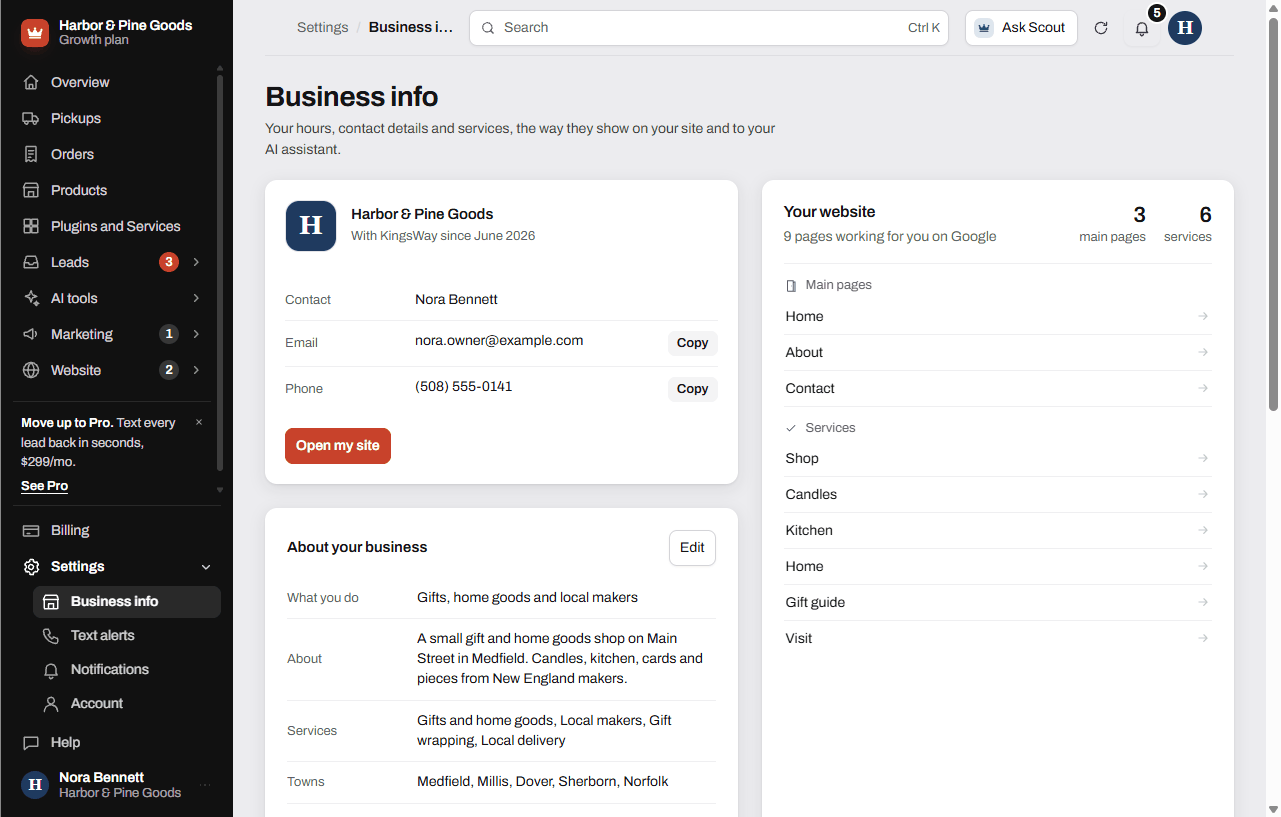
- Open Settings at the bottom of the sidebar, then Business info.
- The Email line is the address that signs in and gets your form emails.
Change the email on your account
- On Business info, tap Send a change under "Something out of date?"
- Tell Scott the new email. He updates the account, and you sign in with the new email from then on.
When a second person needs in
- Text Scott and tell him who it is and what they need to do.
- Today the only way in is the account's own email. Scott can switch that email for you, but there's no separate login with its own email yet.
Questions
Can my store manager have their own login?
Not yet. Each business has one sign-in email. Separate staff logins are planned but not built, so text Scott and he'll work out the best setup for you today.
Can two of us use the dashboard at the same time?
Yes, if you both sign in to the same account. Each new phone or computer triggers a "New sign-in to your KingsWay dashboard" email the first time, so you'll know.
Can I limit what an employee sees?
No. Anyone signed in sees the whole dashboard, including billing. Keep that in mind before you share access.
Will form emails go to my manager too?
They go to the account email only. If your manager needs them, set up forwarding in your own email, or ask Scott to change the account email to one you both check.
Who gets the sign-in and setup links?
Only the account email. Links are never sent anywhere else, so knowing your email isn't enough for someone to get in. Each link works once and runs out after an hour.
What's the "New sign-in" email about?
It's a heads-up the first time a new device signs in. It shows when, which browser and roughly where. If it wasn't you, reply to that email or text Scott right away.
An employee who had my password just left. What do I do?
Text Scott right away so he can lock things down. Sign out on any shared computer at the store too.
Can Scott see my dashboard?
Yes. Scott can open your dashboard to help you or fix something, and anything he changes there is real. He doesn't need your password to do it.
Does the phone app need a separate login?
No. The home-screen app is the same dashboard and uses the same email and password.
I have two stores. Do I get one login for both?
Each business is its own account with its own sign-in email. Text Scott about your setup and he'll sort out the accounts.