Your dashboard
Asking for Google reviews
How to ask finished customers for a Google review, set your review link and message, and handle private feedback.
Updated
Review requests come with every plan. After a job, your customer gets one text or email from your business with a link. Every customer can leave a Google review, and anyone who isn't happy can also send you a private note so you can make it right.
Set it up once
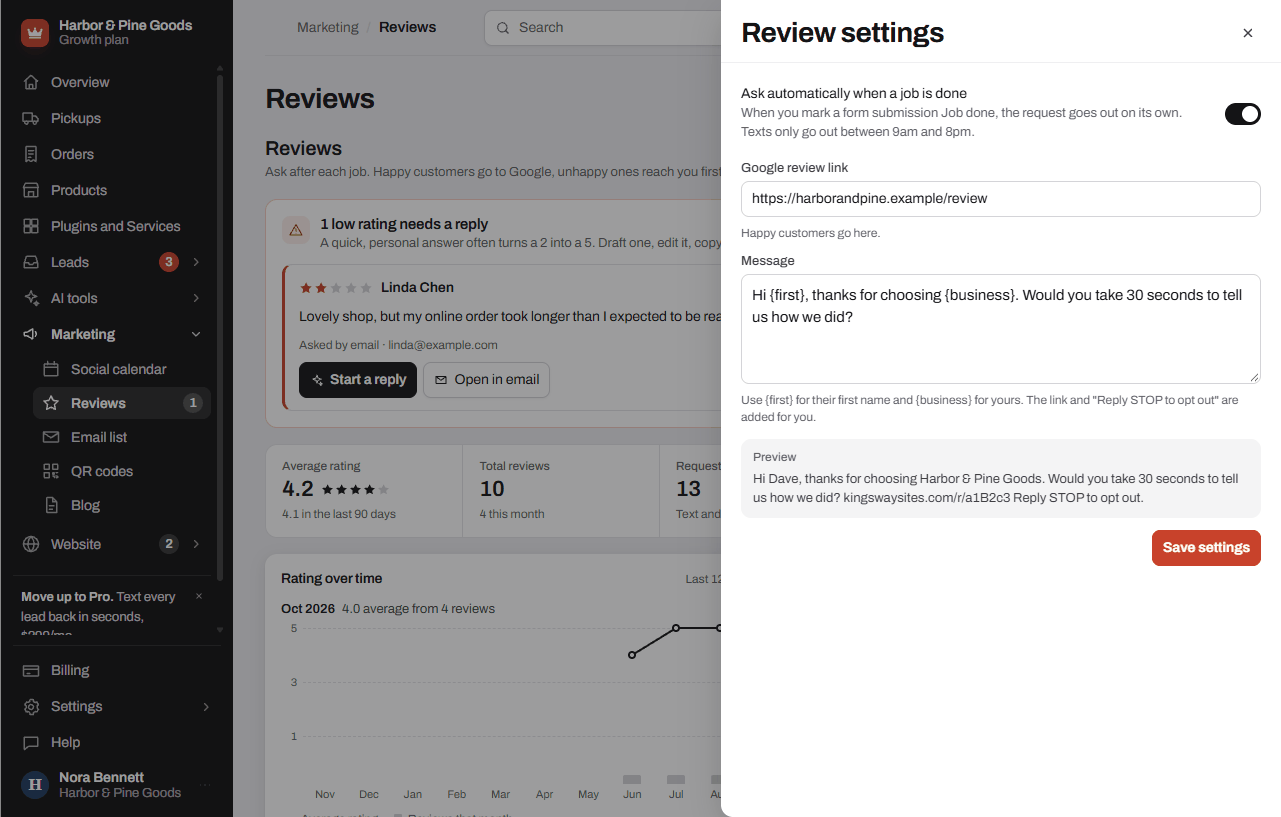
- Open Marketing, then Reviews, and tap Settings.
- Paste your Google review link. In your Google Business Profile, tap "Ask for reviews" and copy the link it gives you.
- Edit the Message if you like. Use {first} for their first name and {business} for yours. The link and "Reply STOP to opt out" are added for you.
- Turn on Ask automatically when a job is done if you want requests to go out on their own.
- Tap Save settings.
Ask a customer
- From a form submission, open it and tap Job done, ask for a review.
- For a walk-in or a phone customer, tap Ask for a review on the Reviews page. Enter their name and a mobile number or email, then tap Send review request.
- If they don't open it, they get one reminder after 3 days. Nothing more.
Read what comes back
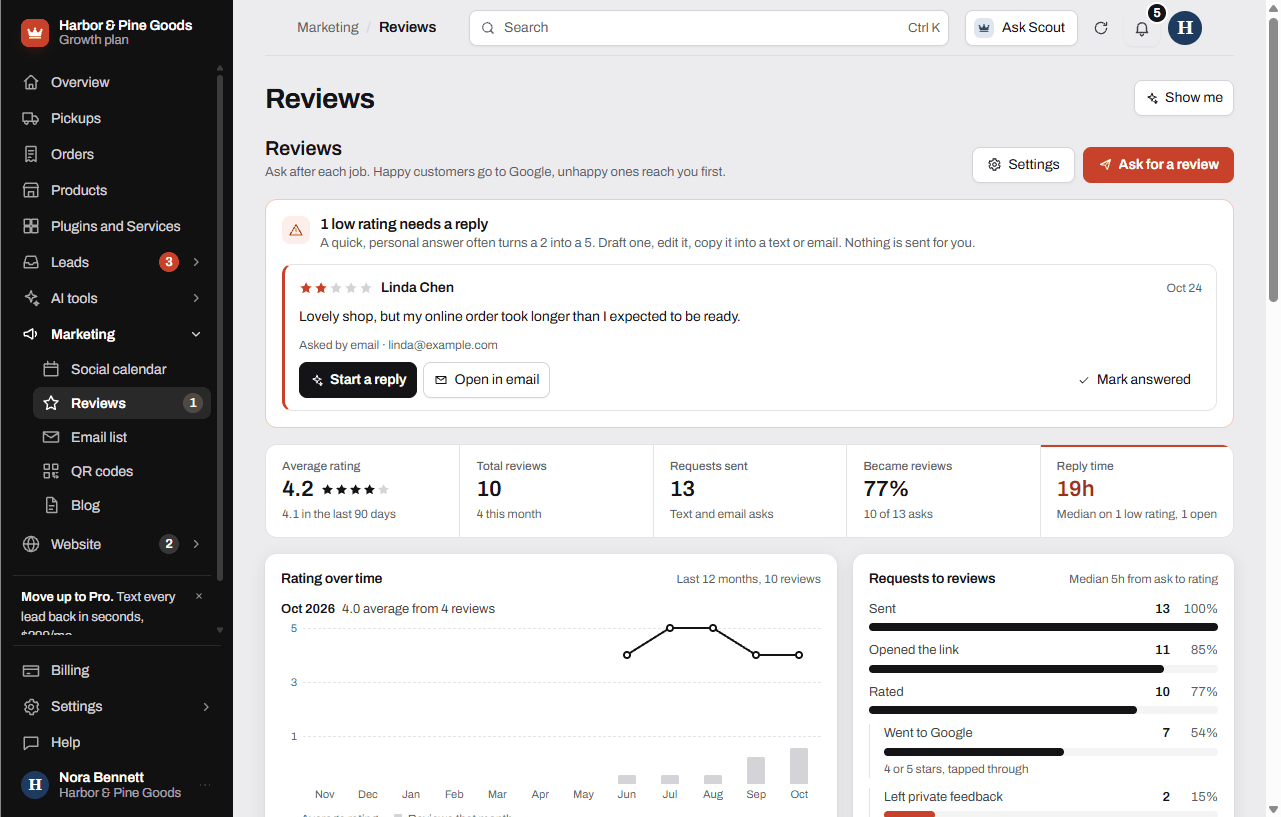
- Ratings and notes show on the Reviews page, newest first, under History. Switch to Requests to see every ask and where it stands.
- A low rating shows at the top with a starter reply you can edit and copy with Copy reply. Nothing is sent for you. You reach out yourself.
Questions
Is this part of my plan?
Yes, on every plan. On Starter requests go by email. Growth and Pro can send them by text too.
Does it only send happy customers to Google?
No. Every rating sees your Google review link, because Google doesn't allow hiding it from unhappy customers. Customers who give 1 to 3 stars also get a short private form, offered next to the Google link.
Can I ask the guy at the counter who just bought a chainsaw?
Yes. Tap Ask for a review and enter his name and email. A text only goes to people who agreed to texts on your form or texted you first, so for a walk-in the email is the sure way.
When does the automatic ask go out?
When you mark a submission Job done. Your Form submissions use New, Replied and Closed, so tap Job done, ask for a review on the submission instead. It sends right then.
Will it text my customers at night?
No. Review texts only go out between 9am and 8pm Eastern. A text due at night waits for the morning. Emails can go any time.
Can I reply to Google reviews from here?
Not from the dashboard. A low rating comes with a starter reply you can edit and copy. Post your reply on Google or send it to the customer yourself.
How many times does a customer get asked?
Once, plus one reminder after 3 days if they never opened the link. That's it.
I sent one to the wrong person. Can I stop it?
If it's still waiting to send, open History, switch to Requests and tap Cancel on it. Once it has gone out, it can't be pulled back.
It says "Add your Google review link." What do I do?
Requests wait until a review link is saved. Tap Add it now, paste the "Ask for reviews" link from your Google Business Profile and save. No profile yet? Google Business Profile setup is a one-time $250 from Plugins and Services.
Can I put my review link on the counter?
Yes. Your dashboard's QR codes page includes a code for your Google review link that you can print for the register.