Your dashboard
Online orders and pickups
How to work online orders for pickup or shipping, mark them ready, picked up or shipped, refund them, and run the Pickups list.
Updated
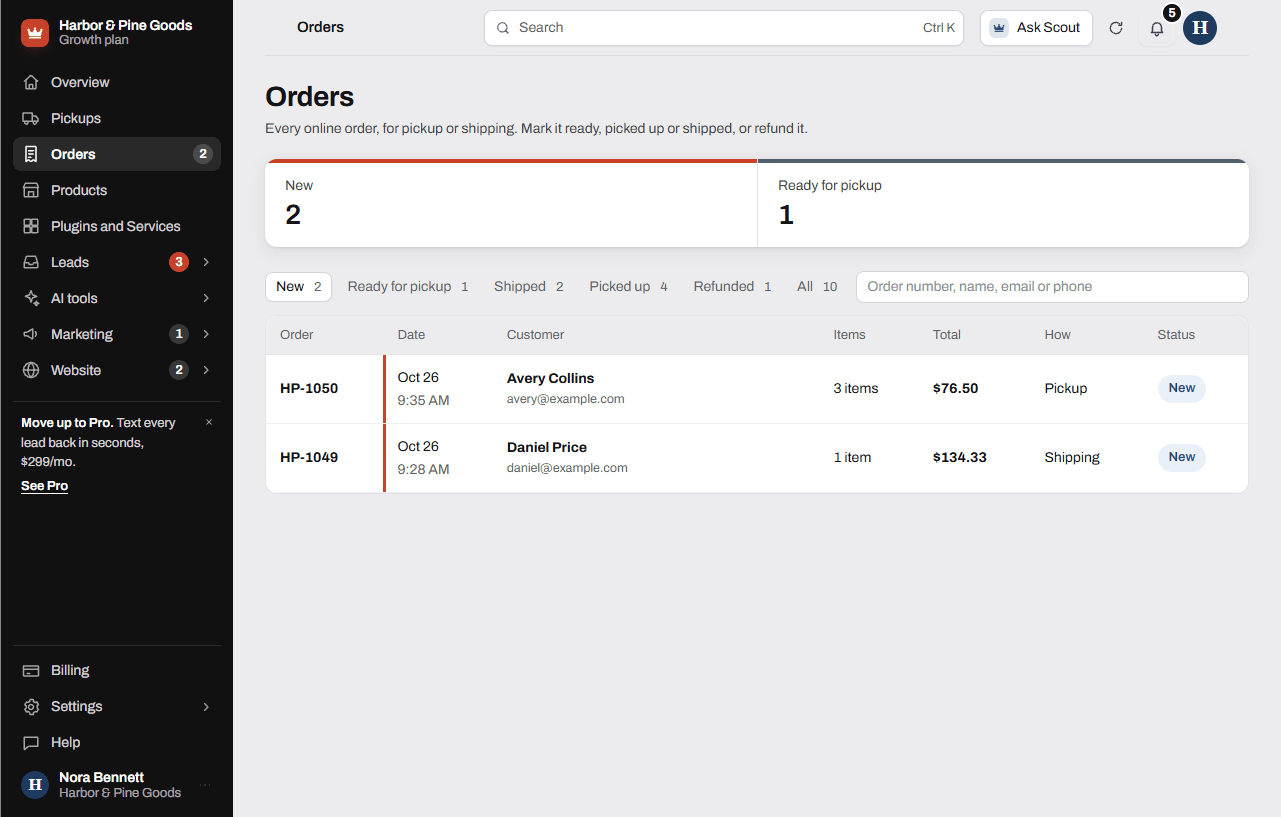
When your site has the online store, every paid order lands on the Orders page, and anything waiting at the counter shows on Pickups. Both sit at the top of your sidebar next to Products. Customers pay through your own Stripe account.
Work an order
- Open Orders. The New tab shows paid orders nobody has touched yet.
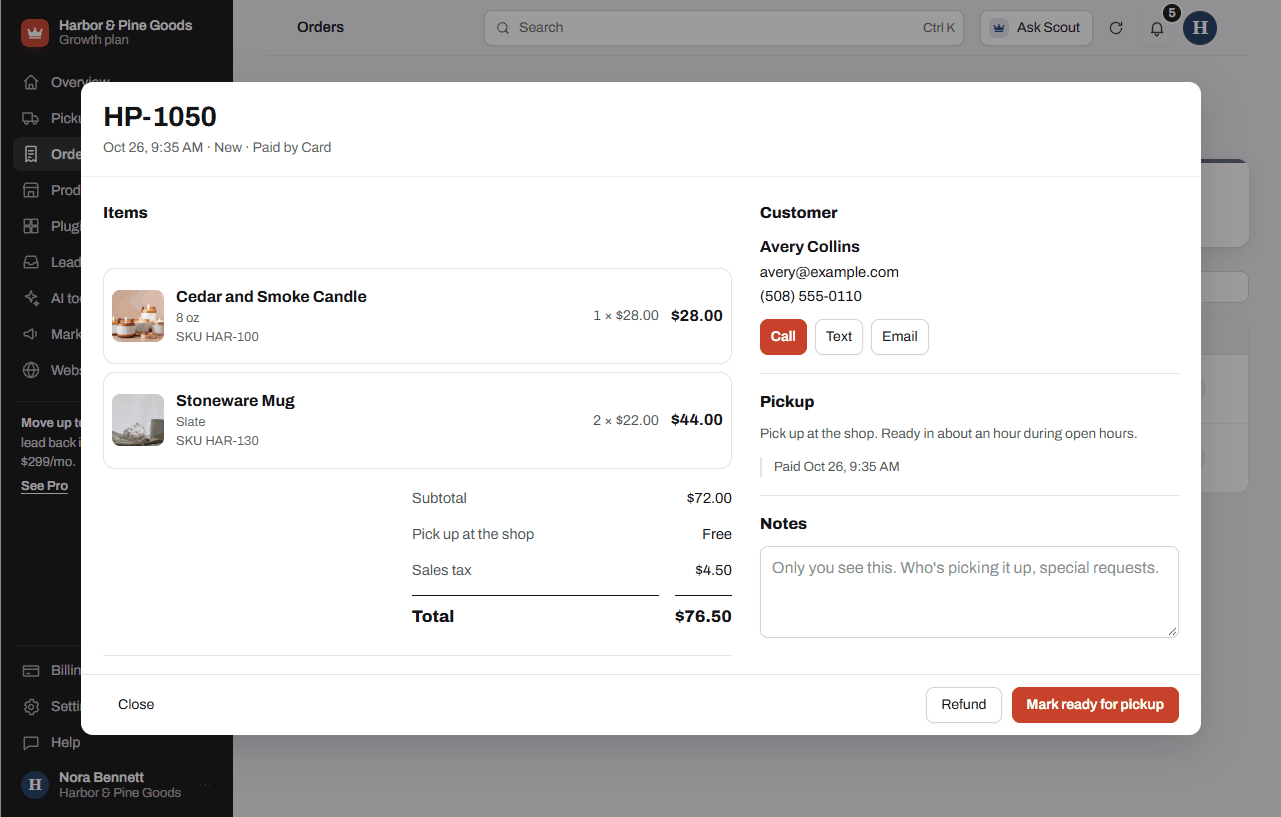
- Tap an order to open it. You see the items, the totals with sales tax, the customer and how they're getting it.
- For a pickup order, pull the items and tap Mark ready for pickup. When they come in, tap Mark picked up.
- For a shipped order, pack it and tap Mark shipped. Paste the tracking number if you have one, then tap Mark shipped again.
- Use Call, Text or Email under Customer to reach them. Use Notes for who's picking it up or anything special. Only you see notes.
Refund an order
- Open the order and tap Refund.
- Pick the full amount or Part of it and type how much.
- Tap the Refund button with the amount on it. The money goes back to the card they paid with and shows up in 5 to 10 days. A refund can't be undone.
Run the counter from Pickups
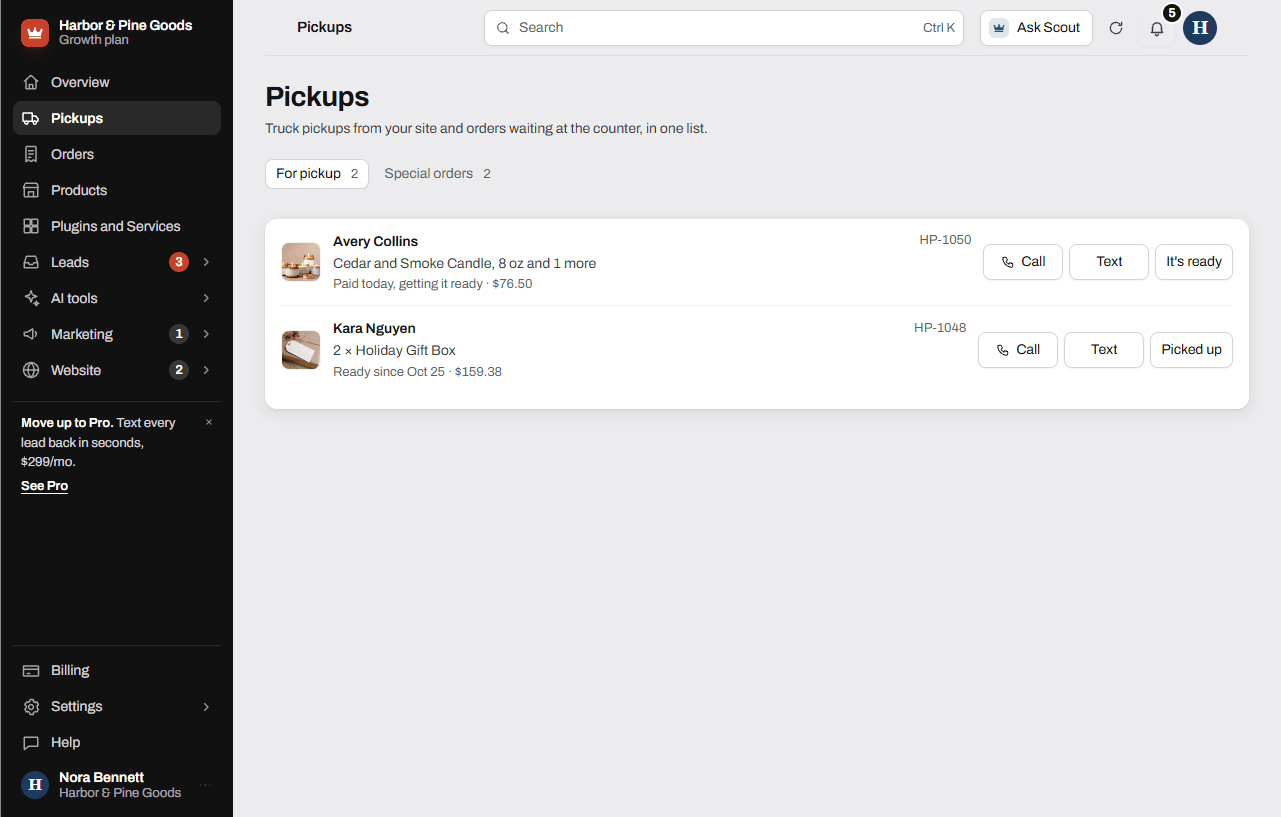
- Open Pickups. For pickup lists online orders waiting at the counter.
- Tap It's ready when the order is pulled, and Picked up when it's gone out the door.
- Special orders lists requests from your site where someone asked you to hold an item or order it in.
Questions
How do I know a new order came in?
You get an email that says "New order" with the total, and the order shows on the New tab and on your Overview under For the counter today. The customer gets a receipt email with their order number.
When I mark an order ready, does the customer find out?
Not from the dashboard today. Marking it ready or shipped updates the order on your side only. Tap Call, Text or Email on the order to tell them it's ready.
Where does the money go?
To your own Stripe account, since checkout runs through it. Stripe's card fees come out of your Stripe account, not your KingsWay bill.
Can I give back part of an order?
Yes. Tap Refund, pick Part of it and enter the amount. The most you can refund is the order total.
Does stock come off when someone buys online?
Yes. When an order is paid, the quantities come off the products that track stock. Check Stock to check on your Overview for anything low or out.
Can I ring up a phone order or a walk-in in here?
No. Orders only come from checkout on your website. Ring counter sales up on your register as usual.
Can I keep my register and the website stock in step?
Scott can set up a register or inventory sync. It's quoted once he sees your system, from $500.
We do truck pickups for snow blowers and mowers. Where do those go?
For a hardware store that runs truck pickups, Scott sets up the Pickups page with To schedule, Scheduled and Done. Each request shows the address and what the machine is doing, with Scheduled and Delivered back buttons. Text Scott to get it switched on for your store.
What's a Test order?
While your store is in test mode, only practice orders come through and no real money moves. They carry a Test tag. Scott switches the store to live with you.
How do I get the online store?
The Online store plugin is $39 a month on any plan. Checkout is set up with you through your own Stripe account, so ask for it in Plugins and Services and Scott gets it running.