Your dashboard
Texting and text alerts
How to get new leads texted to your phone, set up the instant text back, and text customers from your own number in the Texts inbox.
Updated
Texting comes with Growth and Pro. There are two parts. Text alerts send every new lead to your phone. The Texts inbox lets you text customers from your own business number once it's registered with the phone carriers.
Get new leads texted to your phone
- Open Settings at the bottom of the sidebar, then Text alerts.
- Type your mobile number, check the consent box and tap Turn on text alerts.
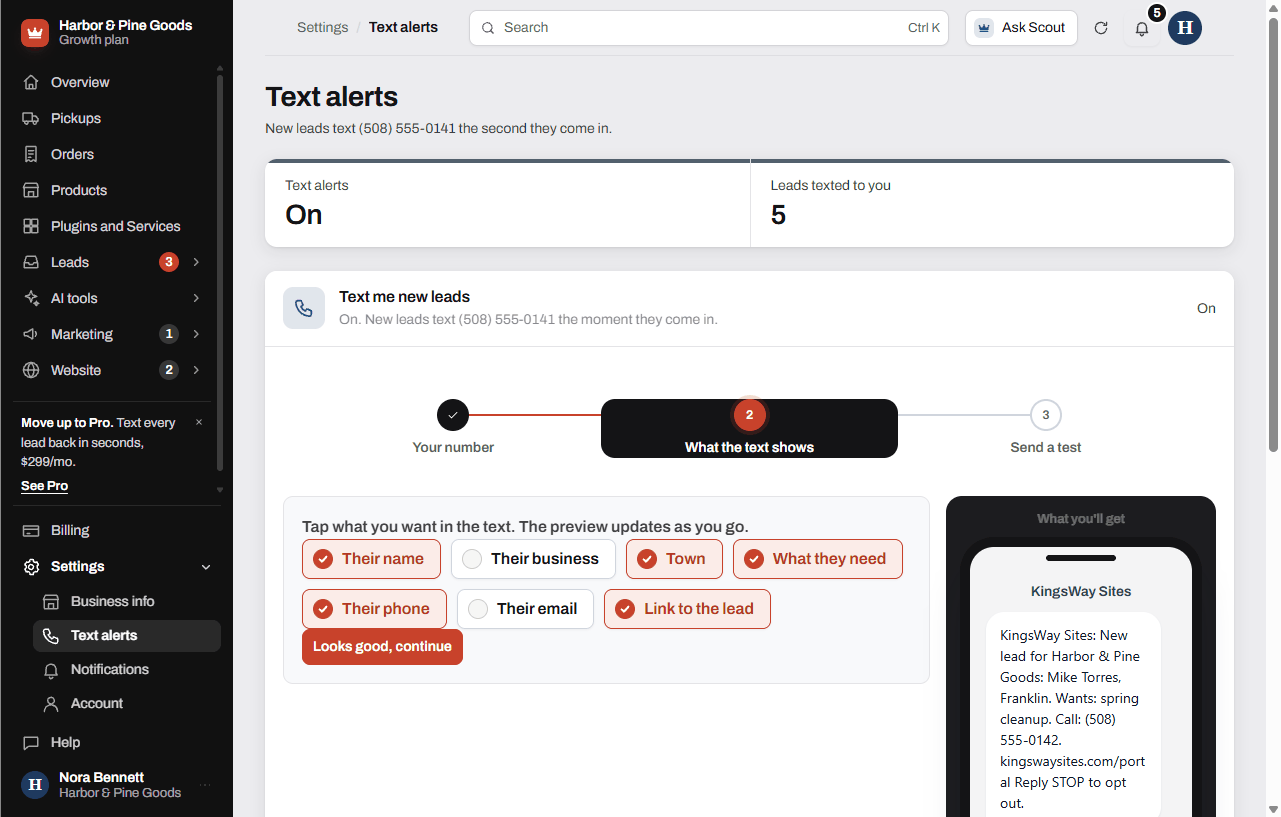
- Tap the details you want in the text, like their name, town, what they need and their phone. Tap Save and continue, or Looks good, continue if you kept the defaults.
- Tap Send me a test text to see what a real one looks like.
Text new leads back right away
- On the same page, find Auto-reply to new leads.
- Write your message. Tap Their first name or Your business name to drop those in.
- Tap Turn on auto-reply. It shows Waiting on Scott until he gives the wording a quick look, usually the same day. Then it switches to On.
Text customers from your own number
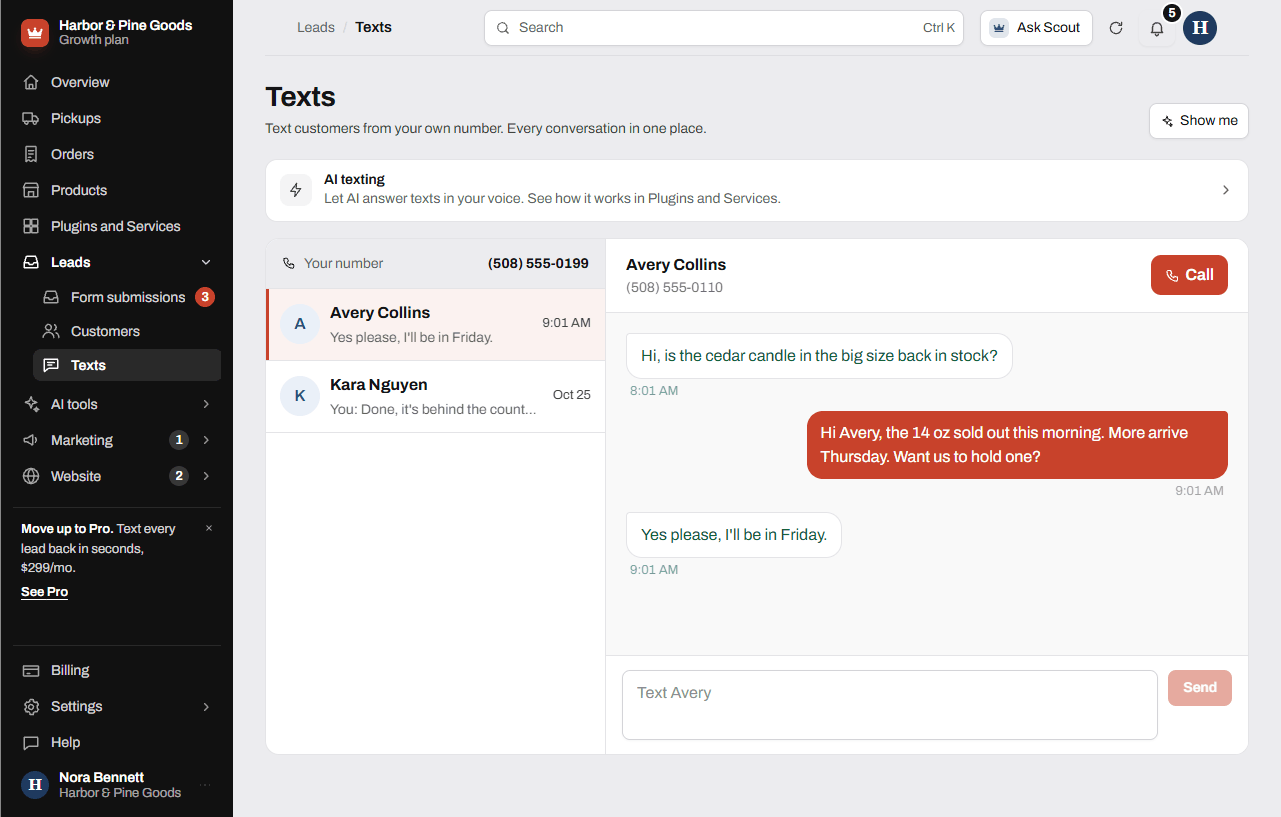
- Open Leads, then Texts.
- Before your number is live, the page asks the questions the phone carriers need: your legal name, business type, EIN, address, a contact, how customers agree to texts and two example texts.
- Tap Send to Scott on the last one. He files it and connects your number. Approval usually takes a few days to two weeks.
- Once it's live, tap a conversation, type your reply and tap Send.
Questions
Which plan do I need?
Growth at $149 a month or Pro at $299 a month. Starter doesn't include texting. You can move up anytime from Billing.
Can the alerts go to my phone and my manager's phone?
Alerts go to one number. To change it, tap Turn off text alerts, then turn them back on with the new number.
What does the customer see in the auto-reply?
Your message, with your business name and "Reply STOP" always included. It only goes to people who checked "OK to text me" on your form, and each lead gets one.
Before my own number is ready, who do texts come from?
Alerts and the instant text back go out from the KingsWay texting line. Once your own number is registered, customer replies land in your Texts inbox.
Why do the carriers want my EIN?
Phone carriers require every business that texts customers to register first. Your answers are only used for that registration. A sole proprietor without an EIN can skip that question.
Can I start a text to someone who's never texted me?
The Texts inbox shows conversations that already exist: new lead alerts, instant text backs and replies. To text someone new, use the Text button on their form submission, which opens your own phone's texting.
What if a customer replies STOP?
STOP and opt-outs are handled for you. You don't have to keep a list.
Can the AI answer texts for me?
AI texting comes with Pro. It answers texts in your brand voice, gathers the job details and offers a time. On Growth, the AI texting link on the Texts page shows how it works.
Do I pay for each text?
Text alerts and the inbox are part of Growth and Pro. Your own phone carrier's usual message and data rates may apply on your end.
Can I turn off alerts on Sundays when the store is closed?
There's no schedule. Tap Turn off text alerts when you want a break and turn them back on after. Every lead still saves and emails you either way.