Your dashboard
Your form submissions inbox
How to read, answer, sort, clear and export every form your website sends you.
Updated
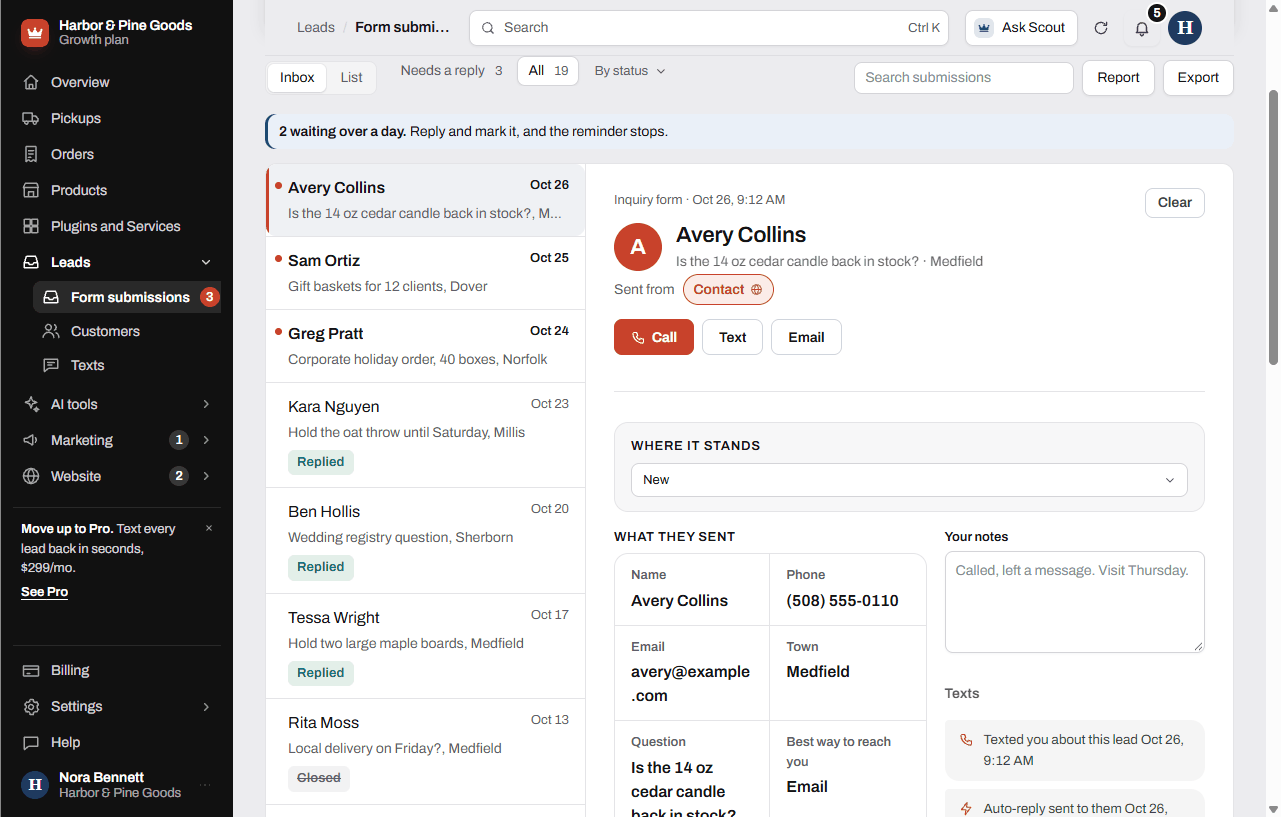
Every form on your website lands on the Form submissions page the second it's sent. You'll find it in the sidebar under Leads. It reads like an email inbox: the list on the left, the full submission on the right.
Answer a submission
- Open Leads, then Form submissions. The tab Needs a reply shows everything still marked New.
- Tap a submission to open it. What they sent shows their answers the way they filled in the form, plus any photos.
- Tap Call, Text or Email to reach them. Call and Text open your phone or computer's own calling and texting.
- Change Where it stands to Replied once you've answered, or Closed when it's finished. The list updates and you can undo from the message at the bottom.
- Type in Your notes for anything you want to remember. Notes save when you click away.
Find and sort
- Use the tabs across the top: Needs a reply, All, Pickup requests (when you have any) and Cleared.
- Use By status to see one status at a time.
- Type in Search submissions to look through names, phone numbers, emails, towns, what they asked for and your notes.
- Switch between Inbox and List at the top left. List shows everything as one table with checkboxes.
Clear what you're done with
- Open a submission and tap Clear, or check several in List view and tap Clear.
- Cleared submissions move to the Cleared tab. Nothing is deleted. Tap Restore to bring one back.
Export your submissions
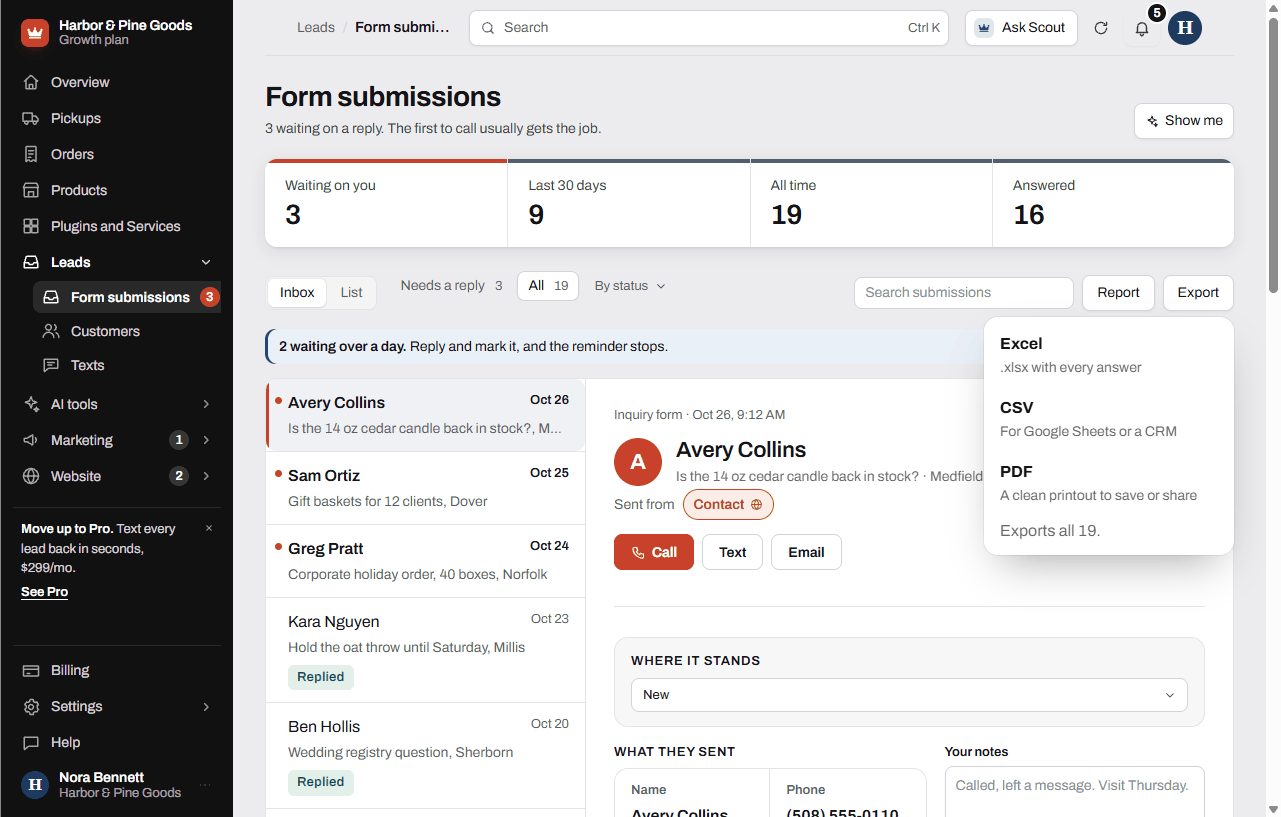
- Tap Export.
- Pick Excel, CSV or PDF. The export holds the submissions you're looking at, so filter or search first if you only want some.
Questions
What do New, Replied and Closed mean?
New means nobody has answered yet. Replied means you got back to them. Closed means it's done, like a special order that was picked up or a question that's answered.
Can I delete a submission?
No. Clear tucks it away under the Cleared tab so the inbox stays clean, and Restore brings it back. There's no delete button.
Someone asked for a price check. What's the fastest way to answer?
Open it and tap Call or Text. You can also reply to the email you got about it, since replies go straight to the customer.
Will it remind me if I forget to answer one?
On Growth and Pro, yes. A submission still marked New after a day gets one reminder email, and the page shows how many have waited over a day. On Starter there are no reminder emails, so check Needs a reply each morning.
Can I see which page of my site they were on?
Yes. When the form sends it, the submission shows Sent from with the page name. Tap it to open that page.
Where do photos show up if a customer attaches one?
Right under What they sent in the open submission. Tap a photo to see it full size.
Can I export my list for my accountant or my register system?
Yes. Export gives you Excel, CSV for Google Sheets or another system, or a PDF printout. It exports what's on screen, so clear the search to get everything.
Is there a report of how many requests came in this month?
On Growth and Pro, tap Report. It shows new submissions for 7 days, 30 days, 90 days or 12 months, what people asked for and the top towns, with Print or save PDF.
How do I ask a customer for a review once the job is done?
Open their submission and tap Job done, ask for a review. It sends them one review request. See Asking for reviews.
Can my counter staff answer these from their own phones?
Each business has one sign-in, so anyone using the dashboard uses your login. See Who can sign in.