Your dashboard
The forms on your website
What happens the second someone sends a form on your site, where it goes and who gets told.
Updated
Every form on your KingsWay site is built into the site itself, with no outside form service. When someone sends one, it's saved to your dashboard and emailed to you right away. On Growth and Pro it can also text your phone and text the customer back.
What happens when someone sends a form
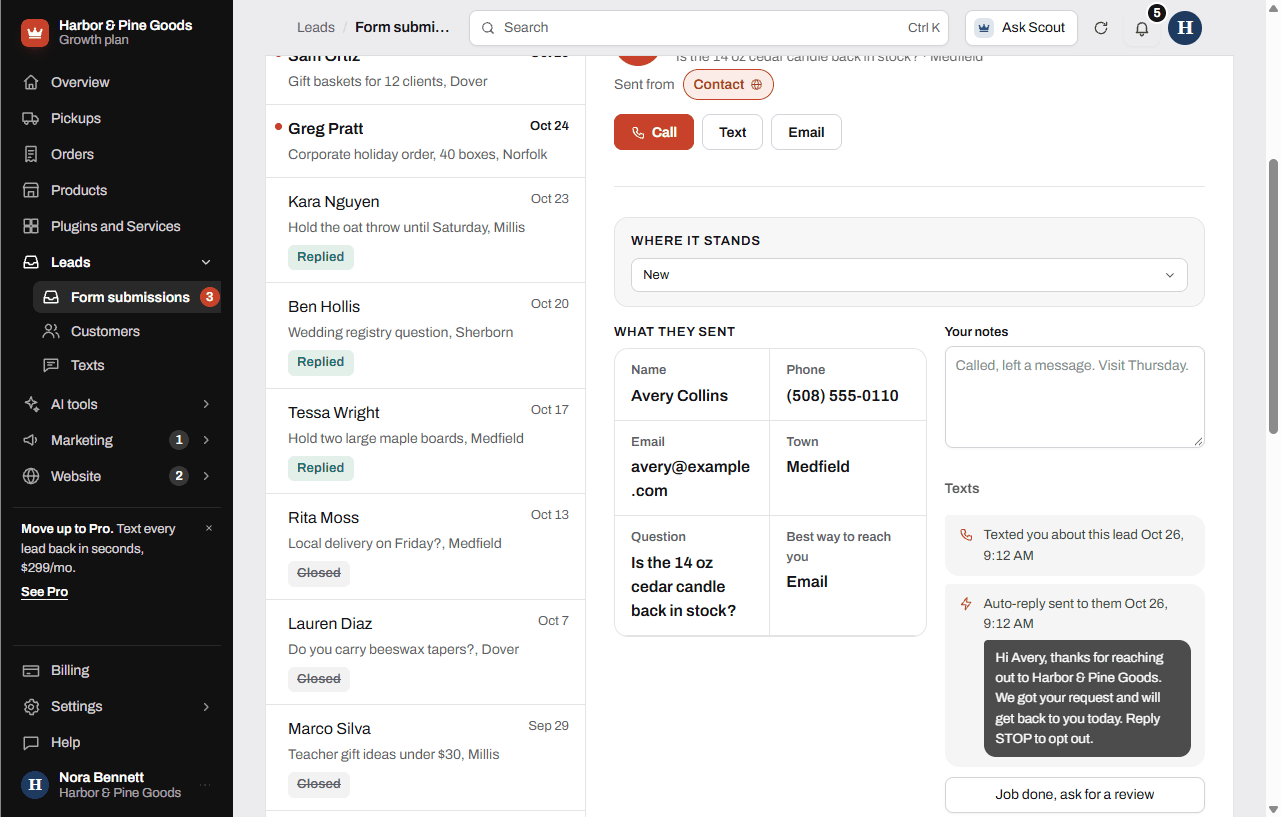
- The answers are saved to Form submissions in your dashboard, along with the page they sent it from.
- You get an email with every answer. Its subject starts with "New inquiry from your website." Reply to that email and it goes straight to the customer.
- The bell at the top of your dashboard shows it as new.
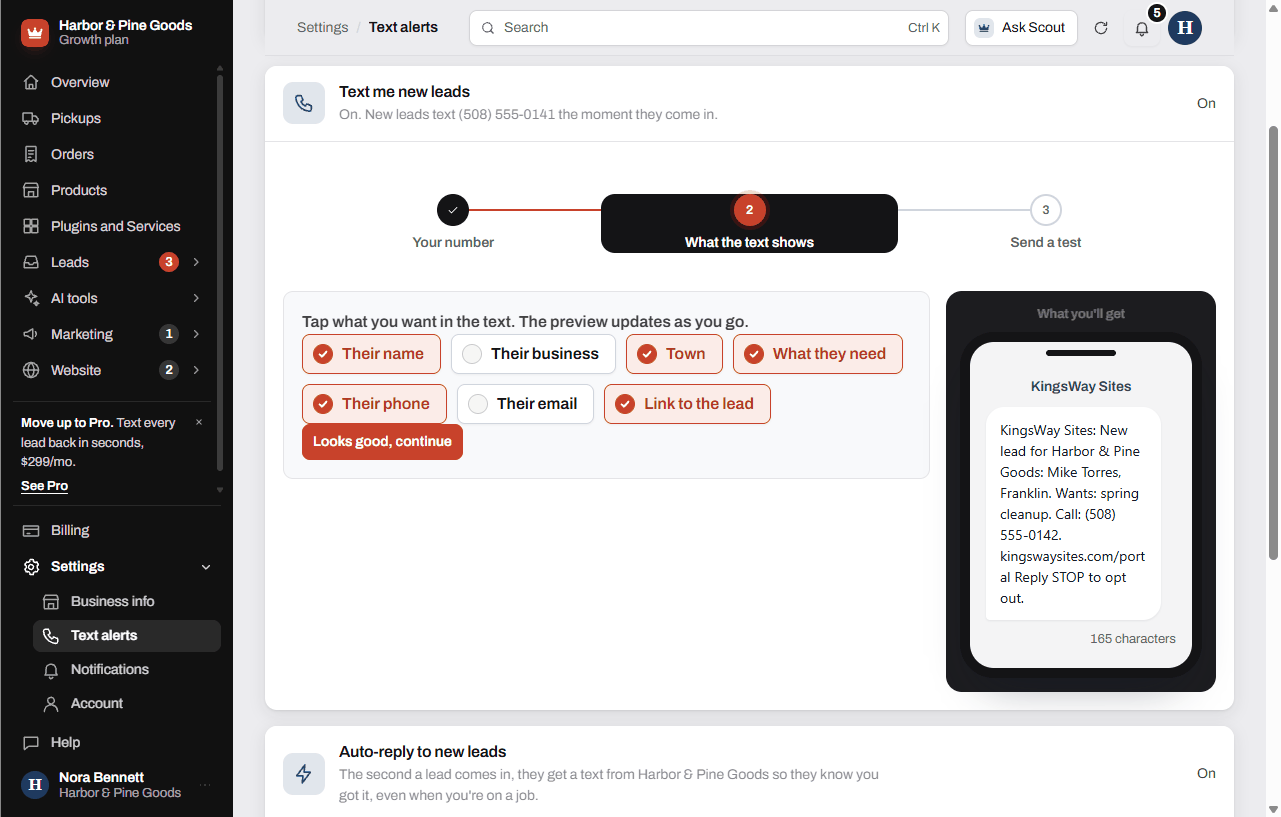
- On Growth and Pro, if you turned on text alerts, your phone gets a text with the details you picked.
- On Growth and Pro, if you turned on the auto-reply, customers who checked "OK to text" on the form get one text from your business so they know you got it.
Turn on the texts
- Open Settings at the bottom of the sidebar, then Text alerts.
- Follow the three steps to send new leads to your phone.
- In Auto-reply to new leads, write your message and tap Turn on auto-reply. Scott gives every auto-reply a quick look before the first one goes out.
Questions
Which email address gets the form emails?
The email on your account, the same one you sign in with. You can see it in Settings, Business info. To change it, tap Send a change there and Scott updates it.
Can I reply right from the email?
Yes. The email is set up so your reply goes to the customer's address, not to KingsWay.
What if the email doesn't come through?
The submission is still saved in Form submissions, so nothing is lost. Check your spam folder and mark the email as not spam. If your site couldn't save a form, Scott gets a backup copy of the answers and passes it along.
Can I get a text on my phone when a form comes in?
Yes, on Growth ($149 a month) and Pro ($299 a month). Turn it on in Text alerts. See Texting and text alerts.
Does the customer get anything back?
They see a thank-you on the page. On Growth and Pro, customers who checked "OK to text" also get your auto-reply text once you turn it on and Scott approves the wording. Nobody gets a text who didn't check that box.
Can you add a field to my form, like the model number of a mower?
Yes. Send a request with Request a change and tell Scott the field. On Growth your monthly edit hour covers it. On Starter, edits are $100 an hour.
What about spam?
Every form has hidden checks that quietly drop most bots. If one site gets more than 30 forms in an hour, the emails and texts pause so your phone doesn't get flooded. The submissions still save.
When someone asks about a product on my site, do I know which one?
Yes. The question button on a product page fills in the product name, so the submission says which item they asked about.
Can a customer send a photo of a broken snow blower?
If your form has a photo field, the photos show in the submission and the email tells you how many came with it. If yours doesn't have one, ask Scott to add it with a request.
Why didn't my own test form send me an email?
A form sent with an @kingswaysites.com email is treated as Scott's test and goes only to Scott. Test with your own personal email and it comes to you like a real one.